

Patient leaflets that stay current, in the patient’s language
Aftercare leaflets get reprinted every time a number or an instruction changes, and they come in one language. A QR code on the leaflet, the appointment letter or the reception sign opens a page you edit once, in the language the patient’s phone uses. A second code replaces the clipboard with a form on the patient’s own phone.
In short
What can a clinic use QR codes for?
In shortInformation pages such as aftercare or directions, in the patient’s own language, that you edit instead of reprinting. A new-patient form and an appointment request form instead of the clipboard, a short feedback form and waiting-room Wi-Fi. Answers land in your Leads list, visible only to people in your workspace. It’s a way to collect details and share information, not a medical records system.
If you cancel, the leaflets and letters still open the page as you last published it, because the code points to a short link we run, not to your plan. Until you subscribe again, the page can’t be edited and the forms stop taking replies. The pledge sets this out.
At a glance
- Forms
- New-patient details, appointment requests, feedback (any paid plan)
- Who sees answers
- Only signed-in members of your workspace
- Keeping data
- Delete leads by hand, or automatically after 30 days to 2 years
- Patient information
- Hosted pages in the patient’s phone language
- Not included
- Medical records, HIPAA or other health-data certification
The workflow
From clipboard to phone
Build the form
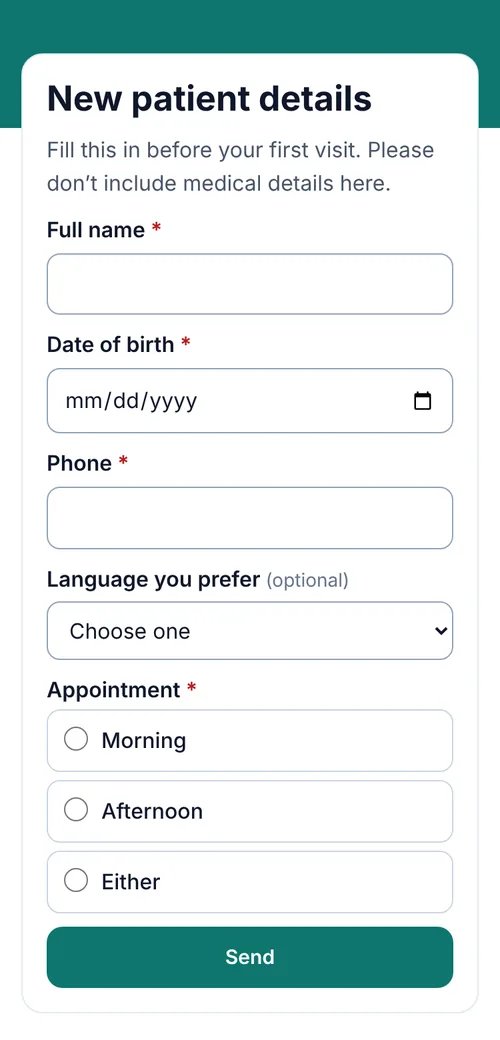
Name, date of birth, phone, preferred language and preferred appointment time. Keep clinical questions out.
Set who sees it
Choose who gets an email per reply, and whether the email shows the answers or only a link.
Print the code
At reception, on appointment letters and on the front door for out-of-hours requests.
Copy and delete
Copy details into your practice system, then delete the lead, or let it delete itself after a set time.
The codes
What each code does
- New-patient detailsContact details and consent before the first visit, typed by the patient instead of read off a clipboard. Lead forms.
- Appointment requestsPreferred days and times, with a phone number to call back. Your team confirms each one.
- Information in their languageAftercare, directions or what to bring, on a hosted page that opens in the phone’s language, translated for you to check. A PDF’s own text isn’t translated, so upload one per language. Multi-language pages.
- FeedbackA feedback page with stars or smileys after the visit, kept in your account.
- Waiting-room Wi-FiA free Wi-Fi code for the guest network, so nobody asks at the desk.
- Finding youA business page with hours, address and directions, or a free Google Maps code on letters.
Patient data
What happens to the answers
Be clear about what this is. QR Code Planet is a QR code and form tool. It is not a medical records system, and we make no HIPAA or other health-data certification claims. Use it for contact details, appointment requests and information sheets, and keep diagnoses, symptoms and test results in your clinical system.
Here is what the product does with form answers. They’re stored in your account, and only signed-in members of your workspace can see them; on Pro you can limit staff to certain folders, so they only see replies from codes in those folders. Uploaded files are stored privately and only download for signed-in members. Each reply can be emailed to you and up to 5 more addresses, and you can turn off the answers in those emails so they only carry a link. Leads can be deleted one by one or in bulk, and a Keep leads setting deletes older ones every day after 30 days, 90 days, 6 months, 1 year or 2 years. A consent question records the exact wording agreed to and when, and the form can link to your privacy notice.
Placement
Where each code goes
Patients may be unwell or have poor eyesight: print codes large, with plain words beside them, and always keep the paper form for anyone who prefers it.
| Compared | What it opens | Print it at |
|---|---|---|
| Reception desk | The new-patient form | 1.5–2 in (4–5 cm) |
| Appointment letters and cards | The appointment request form and directions | About 1 in (2.5 cm) |
| Treatment rooms | Aftercare information in the patient’s language | 1.5 in (4 cm) |
| Waiting room | Wi-Fi and feedback | 2–3 in (5–8 cm) |
Plans
What it costs
Lite and Pro start with a 14-day free trial.
Free
- The Wi-Fi code
- A Google Maps code
- A phone code to call the practice
- No watermark, no expiry
Lite, $9 a month or $72 a year
- 3 forms and 500 replies a month
- Hosted pages with 1 extra language
- Automatic deletion of old replies
- Pro ($24 a month) adds 5 languages per page, team seats with folder access, 100 forms, file uploads and an activity log of who changed what
Good to know
Before you start
- No clinical detailsSay on the form that it’s not for symptoms or medical questions, and give the number to call instead.
- Forms aren’t translated automaticallyHosted pages are. For forms and PDFs, make one per language you need.
- Requests, not bookingsThe form doesn’t see your diary. Your team confirms each appointment.
- Check who has accessReview your team members and folders regularly; remove people who leave.
FAQ
Questions people ask
Can’t find yours? A person answers every email within 2 working days.
Email usIs QR Code Planet HIPAA compliant?
We don’t claim HIPAA or any other health-data certification. Use the forms for contact details and appointment requests, not for medical information, and keep clinical records in your practice system.
Who can see what patients send?
Only signed-in members of your workspace. On Pro you can limit staff to certain folders, so they only see replies from codes in those folders. Nothing is public.
Can replies be deleted automatically?
Yes. The Keep leads setting deletes replies and their files older than 30 days, 90 days, 6 months, 1 year or 2 years, every day. You can also delete them one by one or in bulk.
Can the email alert leave out the answers?
Yes. In the form’s notification settings, turn off the answers and the email only says a new reply arrived, with a link to open it in your account.
Can patients read information in their own language?
Hosted pages, such as a links, business or PDF page, open in the phone’s language, from 32 languages. The page text is translated automatically and you can correct any line; a PDF file itself isn’t translated. Lite includes 1 extra language per page, Pro 5.
Keep reading
Related
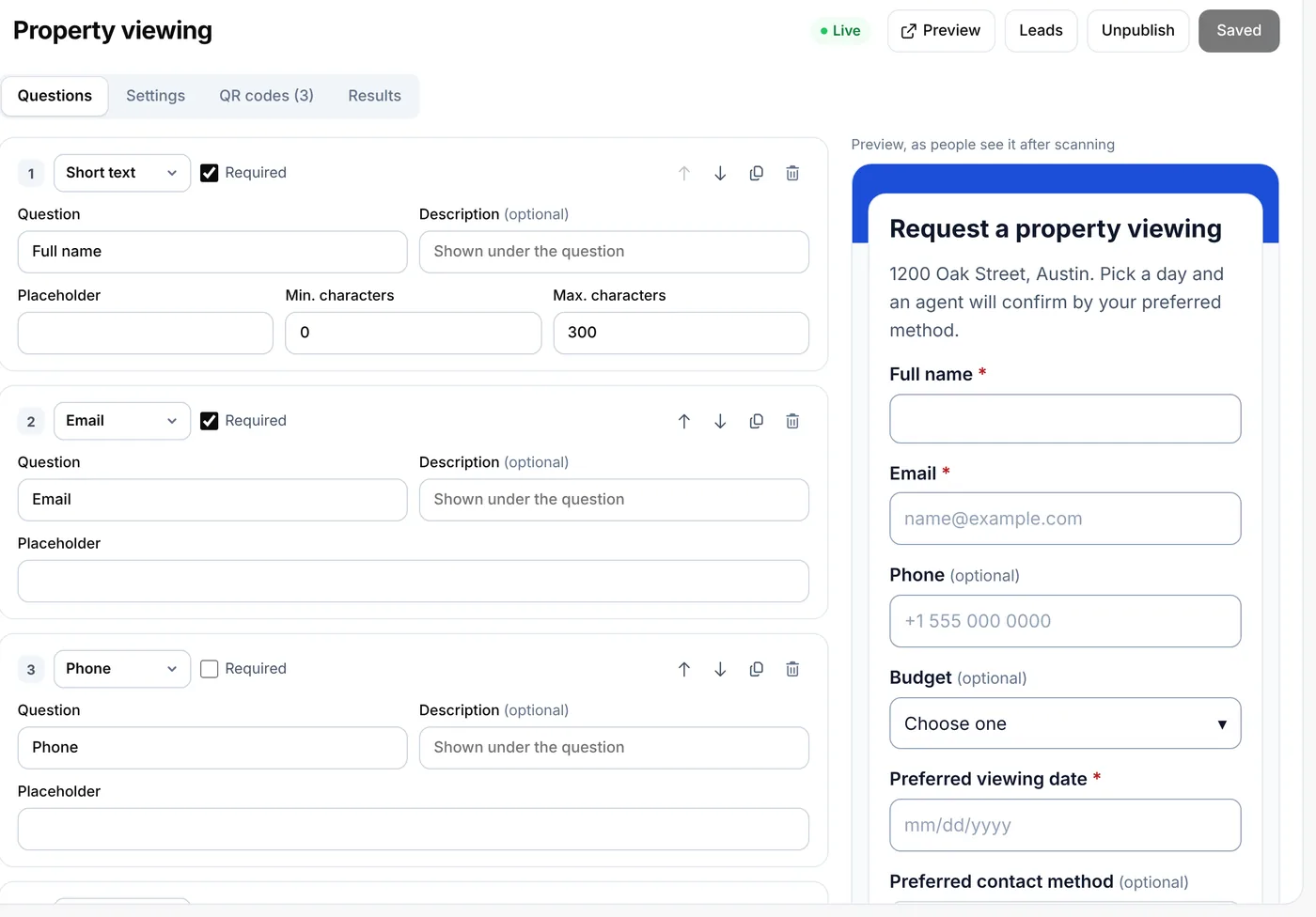 QR lead formsThe forms behind the patient codes.
 Multilingual QR codesPages in each patient’s language.
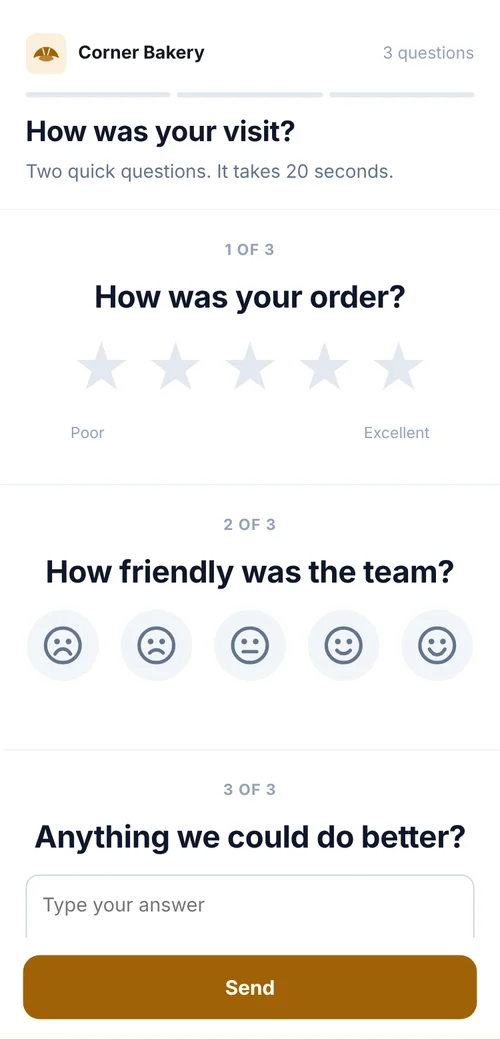 Feedback QR codeA short survey with up to five questions.
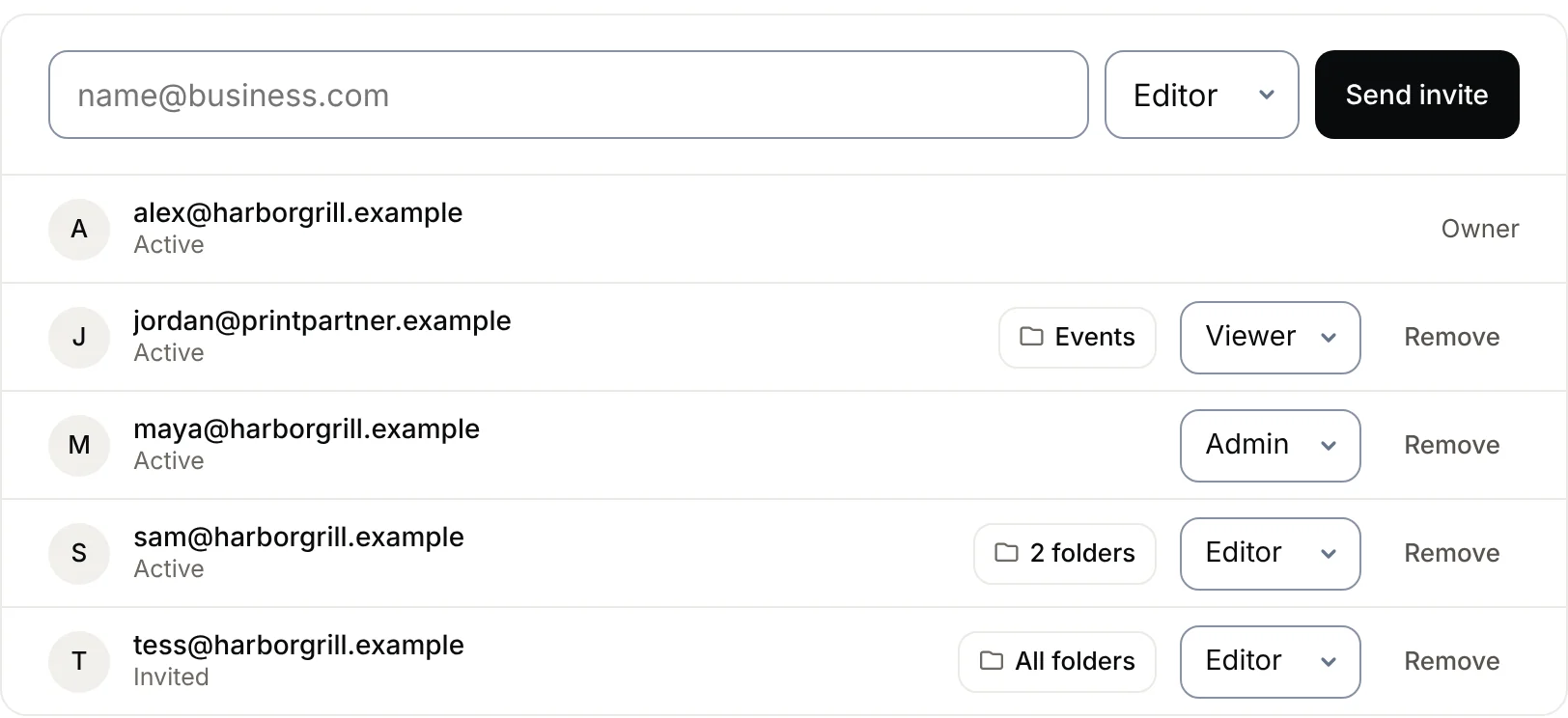 Team workspaceWork on QR codes as a team in one workspace. Invite Admins, Editors or Viewers, limit them to folders, and keep billing with one owner. Pro and Agency.
- Page templatesBrowse 36 mobile landing page templates for restaurants, salons, gyms, clinics, events and weddings. Add your details and connect it to a QR code.