

- Home
- Free QR code generator
Free QR code generator
Make a QR code for a website, Wi-Fi network, WhatsApp chat, phone number or contact card in under a minute. It’s free with an account (10 static codes a month), carries no watermark and never expires.
Definition
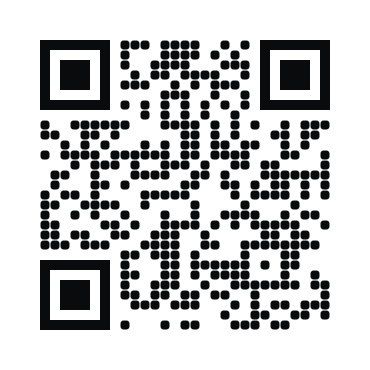
What is a free QR code generator?
In shortA tool that turns a link, Wi-Fi network or contact into a QR code you can download and print at no cost. Ours makes static codes free: 10 a month with a free account, no watermark, no expiry.
A static code stores its content directly in the pattern. When someone scans it, their phone reads the link or Wi-Fi details from the pattern itself, without contacting any server. That’s why it can’t stop working: there’s nothing for us, or anyone else, to switch off.
At a glance
- Price
- Free
- Free plan
- 10 static codes a month
- Account
- Free account to download
- Watermark
- None
- Expiry
- Never
- Downloads
- PNG, SVG, PDF, JPG, EPS
What’s included
What “free” covers
Everything you need to make a code look good in print. Downloading the same code in another format doesn’t count twice, and new codes open up on the 1st of each month. Paid plans have no limit.
| Compared | Free | Paid plans |
|---|---|---|
| Codes | 10 static codes a month, 15 types | Unlimited static, plus dynamic (editable) codes |
| Design | Colours, shapes, frames, your logo | The same, plus hosted pages such as a menu, PDF or vCard Plus |
| Downloads | PNG, SVG, PDF, JPG and EPS | The same, plus bulk creation and the API |
| Tracking | — | Scan analytics and CSV export |
| Watermark and expiry | None, never | None, never |
How it works
Make a free QR code in four steps
Pick a type
Open the generator and choose what the code should do, for example URL or Wi-Fi.
Add the content
Paste the link or type the network name and password. The preview shows whether it passes a scan check.
Style it
Choose colours, shapes, a frame such as “Scan me”, and add your logo if you want one.
Download
PNG for screens, SVG or EPS for designers, PDF for print, with a suggested print size.
Free types
Which codes you can make free
15 static types, from a website link to a Google review link.
- Website link (URL)
- Wi-Fi
- Phone call
- SMS
- Plain text
- vCard contact
- YouTube
- TikTok
- Google Maps location
- Google review link
See every type, including the hosted page types on paid plans, on the QR code types page.
Choosing
When free is the right choice, and when it isn’t
Not sure which you need? Static vs dynamic QR codes explains the difference in five minutes.
Free static codes are ideal for
- A Wi-Fi code for guests
- A business card or email signature
- A link that won’t change, such as your homepage
- Anything printed once and kept for years
Consider a dynamic code when
- The link might change after printing
- You want to know how many people scanned
- You print in volume, such as flyers or packaging
- You need a hosted page like a menu or PDF
No catch
Why there’s no catch
Many “free” generators make every code dynamic by default and switch it off when a trial ends, so a printed menu suddenly points to a sign-up page. We don’t do that.
- Made in your browserStatic codes are made on your device. What’s inside them never passes through our servers.
- Clearly labelledDynamic codes are a separate option you choose, never the default.
- Written downEven dynamic codes keep redirecting if you stop paying. It’s in our pledge.
FAQ
Questions people ask
Can’t find yours? A person answers every email within 2 working days.
Email usIs it really free?
Yes. The Free plan includes 10 static QR codes a month, with no watermark and no expiry. A free account also includes 3 dynamic codes you can edit after printing. Paid plans add unlimited static codes, more dynamic codes, hosted pages and scan analytics.
Do free QR codes expire?
No. A static code stores its content in the pattern, so it works for as long as the link or details inside it are valid. Read more about expiry.
Can I use the codes commercially?
Yes. You can print them on products, menus, packaging, signs and ads.
Can I edit a free code after printing?
No. Changing a static code’s content means printing a new code. If you might need to change the destination later, make a dynamic code instead.
Do I need an account?
Yes, a free account, to download. You can design and preview a code without one. It also includes 3 dynamic codes, which you can edit and track. Paid plans include more; Lite and Pro start with a 7-day free trial.
Keep reading
Related
 How to create a QR code for freeFive steps from link to print-ready file, without paying.
 Dynamic QR codesChange the link after printing and see who scans. Codes never get switched off.
- QR code with logoYour logo in the middle, brand colours, and a live scan check.
 QR code printing and size guideSizes for every distance, plus the checks before you print.