- Home
- QR code types
- PDF QR code
PDF QR code generator
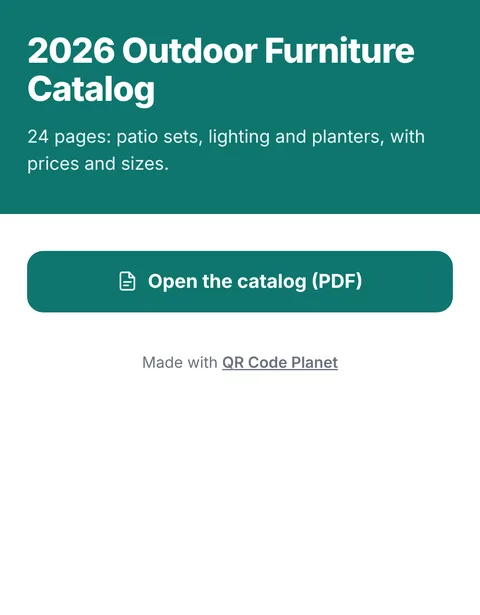
Upload a brochure, manual, price list or menu as a PDF. We host it on a clean mobile page, and the QR code takes people straight there. Replace the file later and the printed code shows the new version.
 Scan for the catalog
Definition
What is a PDF QR code?
In shortA PDF QR code opens a page we host with your document on it. Upload a brochure, manual, price list or menu, print the code, and replace the file later without reprinting.
A PDF code is a dynamic code that opens a page we host for you. The page shows the document’s title, a cover, and a button to open or download the PDF. Because the file lives with us, you can upload a corrected or updated version without reprinting anything.
At a glance
- Plan
- Any paid plan (hosted page)
- Storage
- 200 MB on Lite, 500 MB on Pro, 2,000 MB on Agency
- Replace the file
- Any time, same code
- Code type
- Dynamic
- Scan analytics
- Included
How it works
Make one in four steps
Choose PDF
In the generator, and sign in to an account on a paid plan.
Upload the file
Give it a title people will recognise.
Pick the page’s colours
So it matches your brand.
Download the code
Print it, and check the scan count in My codes whenever you like.
Uses
Where it helps
- Product manualsOn packaging, so you can fix errors without new boxes.
- Price lists and cataloguesThat change each season.
- MenusAlthough a menu page reads better on a phone than a PDF does.
- Event programmesAnd handouts that are finished at the last minute.
Good to know
Things to consider
- A4 pages are hard to read on a phoneIf the content is short, a menu or links page may serve people better.
- Keep files smallA 3 MB PDF opens quickly on mobile data; a 40 MB one doesn’t.
- A free alternativeA static code can also point to a PDF you host elsewhere, such as Google Drive, for free. You just can’t see scans or swap the file behind the same link as easily.
FAQ
Questions people ask
Can’t find yours? A person answers every email within 2 working days.
Email usCan I replace the PDF after printing?
Yes. Upload a new file in the code’s settings and the printed code opens the new version on the next scan.
Is the PDF code free?
Hosted pages, including PDF, need a paid plan. A free static URL code can point to a PDF you host yourself.
What happens to the PDF if I cancel?
The code keeps working and the page keeps showing your PDF. You can’t replace it until you subscribe again.
Keep reading