

QR code retargeting: reach the people who scanned
Add your Meta, Google, TikTok or LinkedIn pixel to a dynamic QR code. Each scan adds the person to that platform’s audience, so you can show them your ads later.

Definition
What is QR code retargeting?
In shortQR code retargeting fires an ad platform’s pixel when someone scans your code. The scanner joins that platform’s audience, so you can show them ads later, the same way you would for a visitor to your website.
On QR Code Planet the pixel goes on a dynamic code. The printed code doesn’t change, and codes without pixels go straight to their link as before.
At a glance
- Plans
- Pro and Agency
- Pixels
- Meta, Google tag, TikTok, LinkedIn, image pixel
- Consent
- Optional Allow / No thanks prompt
- Wait for scanners
- Under 2 seconds on link codes
- Never fires for
- Bots, link previews, Global Privacy Control
How it works
Add a pixel in a minute
Open a dynamic code
A link, a menu, a business page or a form. New, or already printed.
Add your pixel
Settings → Retargeting. Pick the platform, paste the ID, and add an event such as Lead if you want one.
Choose consent
Turn on “Ask for consent first” to show Allow or No thanks before any tag loads.
Build the audience
Each scan fires the pixel. Use the audience in your ad account, and see how many scans fired it in the last 30 days.
Platforms
Which pixels you can add
One code can carry several pixels. A page view is sent on every scan; an event is optional.
| Compared | What you paste | Options |
|---|---|---|
| Meta Pixel | Pixel ID, 15 or 16 digits | A standard or custom event |
| Google tag | G-… (Analytics 4), AW-… (Google Ads) or GT-… | A conversion label for Google Ads |
| TikTok Pixel | Pixel ID, 20 letters and digits | An event |
| LinkedIn Insight Tag | Partner ID, 4 to 10 digits | A conversion ID |
| Image pixel | An https:// address | Loaded as an image |
Use cases
Where it helps
- Shop windows and postersPeople who scanned a sale poster see the sale again in their feed.
- Product packagingReach buyers who scanned the box for the manual with accessories or a review request.
- Events and trade showsFollow up with visitors who scanned your stand, on LinkedIn or Meta.
- RestaurantsRemind guests who opened the menu about your next offer.
- Print ads and flyersMeasure print with the same pixels you use for online ads.
- Real estate signsShow new listings to people who scanned a yard sign.
Plans
What each plan includes
| Feature | Free | Lite | Pro | Agency |
|---|---|---|---|---|
| Retargeting pixels | Not included | Not included | Included | Included |
| Consent prompt | Not included | Not included | Included | Included |
| Pixels added to new codes automatically | Not included | Not included | Included | Included |
| Pixel counts, last 30 days | Not included | Not included | Included | Included |
Pro is $24 a month or $192 a year and starts with a 7-day free trial. Agency is $75 a month.
Good to know
Before you add a pixel
- No custom scriptsOnly these five pixel types, with IDs checked against each platform’s format. Nothing you type runs as code.
- People onlyPixels never fire for bots, link previews, or browsers that send Global Privacy Control.
- Your privacy noticeMention the tags in your privacy notice. Asking for consent where the law needs it is up to you.
- A short stop on link codesA link code with pixels opens a short page that moves on within 2 seconds, even if a tag is blocked. Hosted pages load the tags on the page itself.
Also new
More new features
Each works with the dynamic codes, pages and forms you already have.
- IntegrationsGoogle Sheets, HubSpot, Zapier and Make
- A/B testingSplit scans between two or three pages
- Wallet passesCards, coupons and tickets in Apple and Google Wallet
- Multi-language pagesEach scanner reads the page in their language
- Table orderingOrders to the table and table bookings
- Event ticketsQR tickets and check-in with your phone
- Loyalty cardsDigital stamp cards, no app to install
- Team business cardsOne design for everyone, managed in one place
- GS1 Digital LinkPackaging QR codes for Sunrise 2027
- SSO & activity logSAML sign-in and a log of every change
FAQ
Questions people ask
Can’t find yours? A person answers every email within 2 working days.
Email usDo I need to reprint my QR code to add a pixel?
No. Pixels go on the dynamic code, so the printed code stays the same. Add, change or remove them at any time.
Which pixels can I add?
Meta Pixel, Google tag (Google Analytics 4 or Google Ads), TikTok Pixel, LinkedIn Insight Tag, and a plain image pixel at an https:// address. One code can have several.
Does a pixel slow down the scan?
Barely. A link code with pixels shows a short page that loads the tags and moves on within 2 seconds, even if a tag is blocked. Hosted pages load the tags on the page itself.
Can new codes get the same pixels automatically?
Yes. “Add these to new codes too” makes a code’s pixels the workspace default, so new dynamic codes get them. Only the workspace owner or an admin can set it.
What if someone says no to the consent prompt?
No tag loads and they go on to your link. The answer is remembered for that code, and the Retargeting section counts how many people said no.
Keep reading
Related
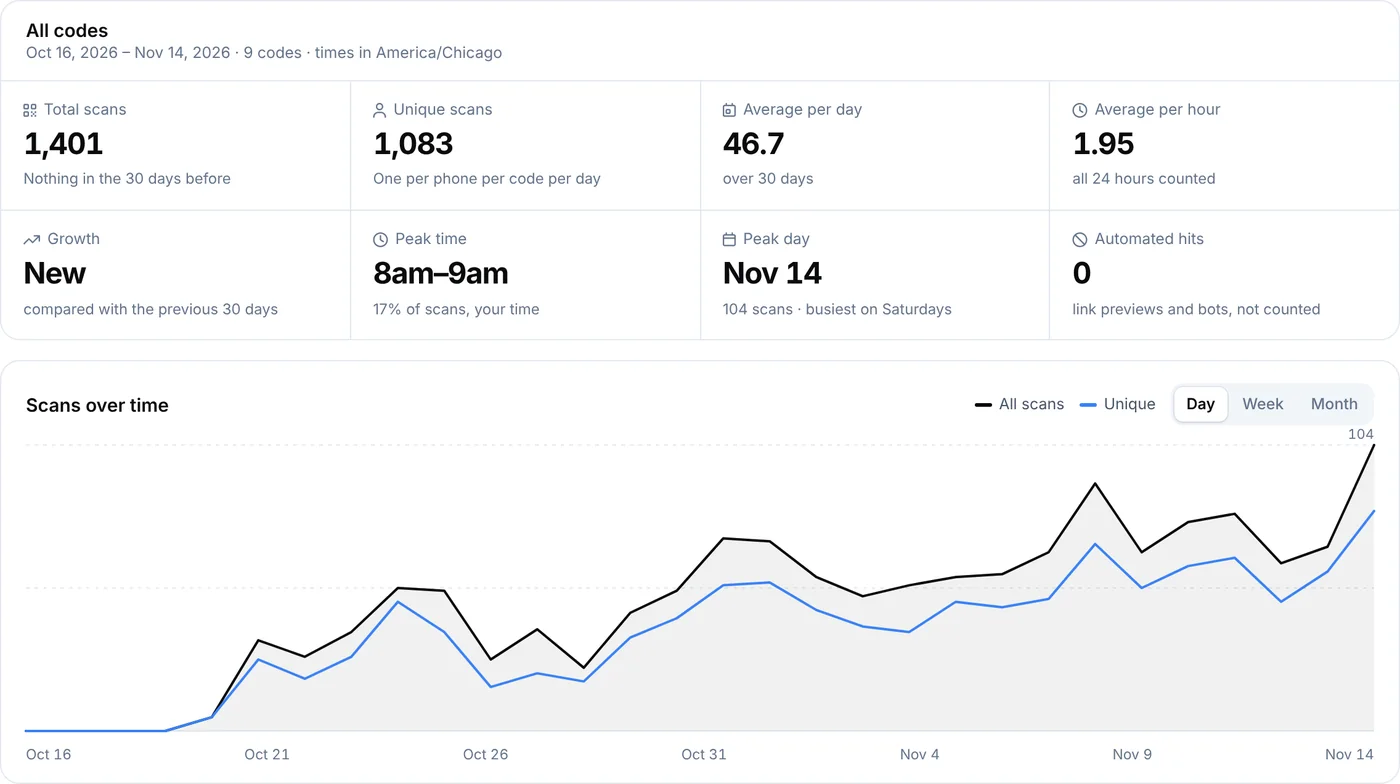 QR code analyticsScans by day, hour, country, city and device for every dynamic code.
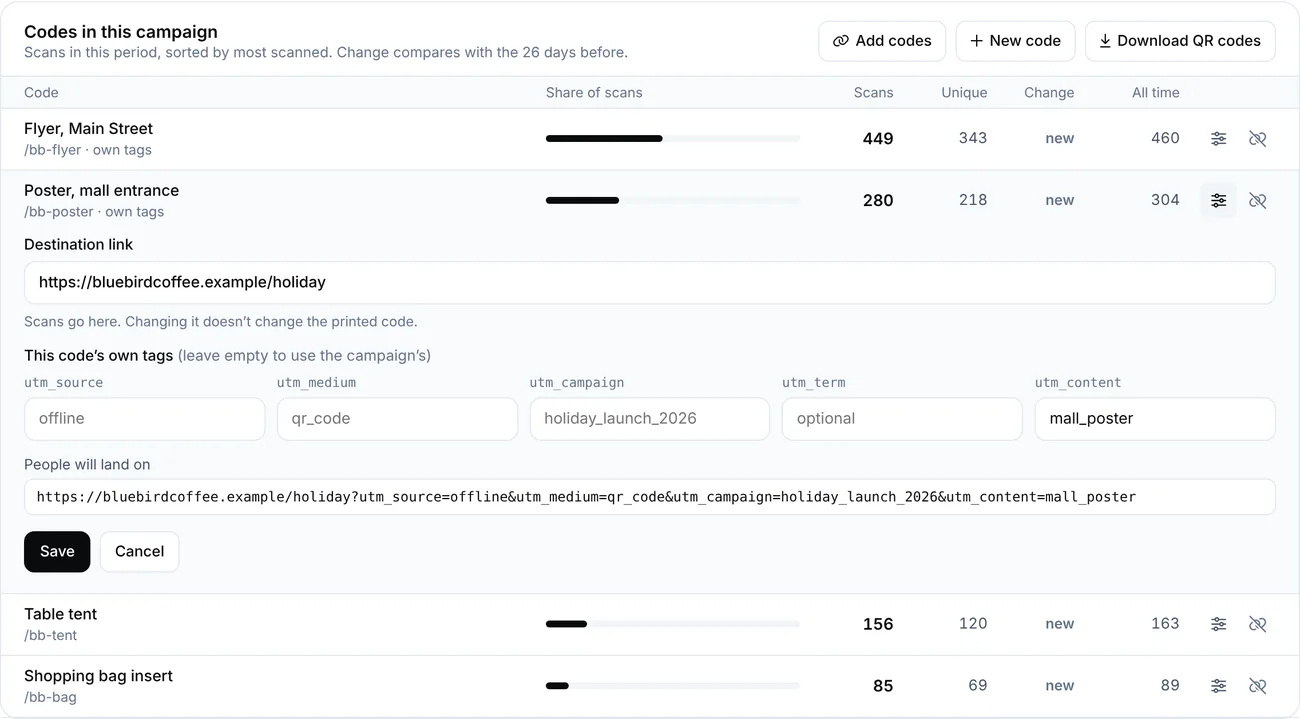 QR code UTM trackingAdd UTM tags to a dynamic QR code so scans show up in Google Analytics under your own source and campaign. Tags are added when scanned, so you can change them after printing.
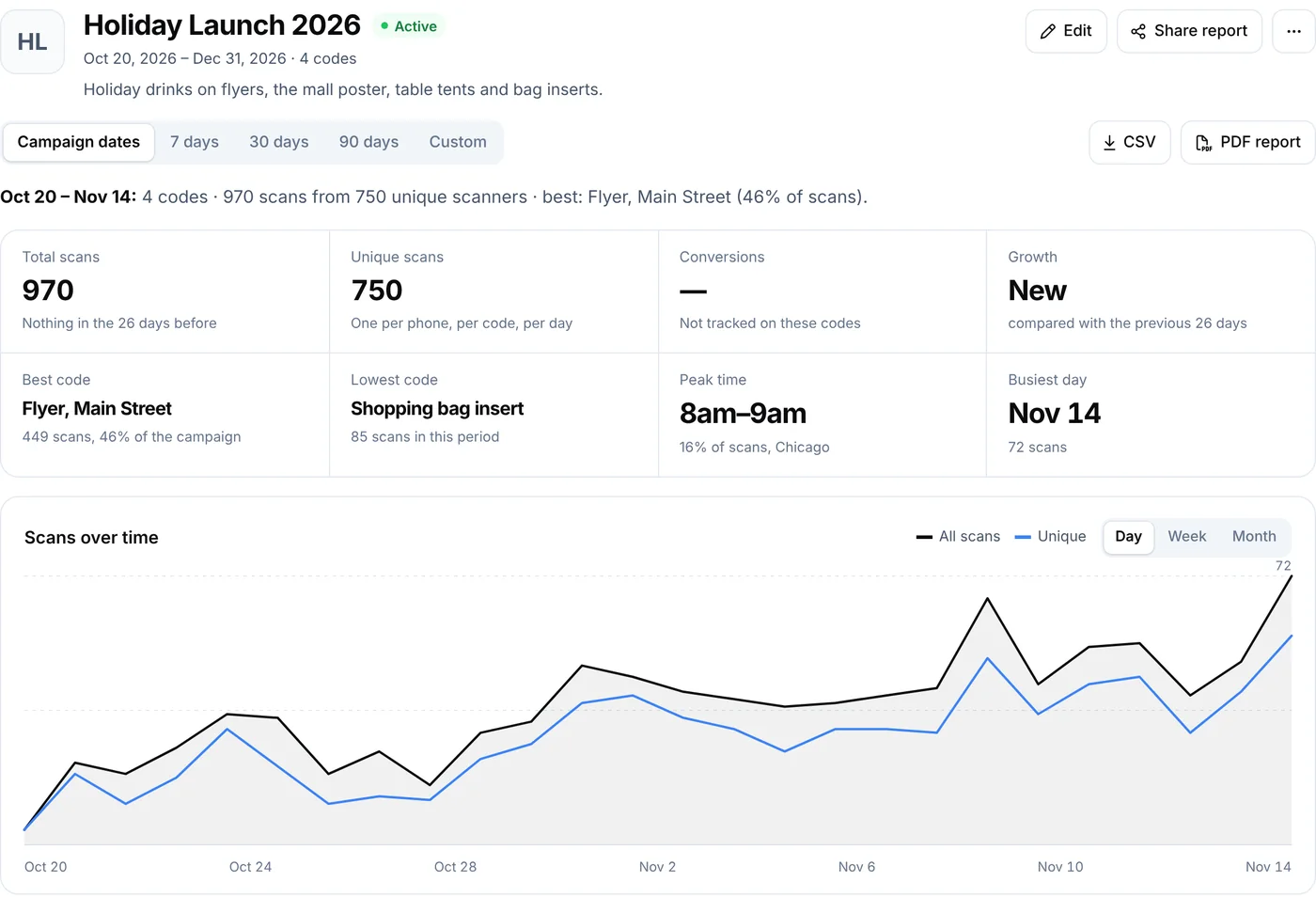 QR campaignsGroup codes and compare their results
 Dynamic QR codesChange the link after printing and see who scans. Codes never get switched off.