- Home
- Password-protected QR codes
Password-protected QR codes: only people with the password get in
Add a password to a dynamic code. People who scan it type the password before your link or page opens.
 Staff handbook
Definition
What is a password-protected QR code?
In shortA password-protected QR code asks for a password after it’s scanned. It opens its link or page only when the password is right.
In QR Code Planet the password belongs to the code’s short link, not to the printed image. It works on dynamic links and on every hosted page type, from menus to PDFs.
At a glance
- Plans
- Every paid plan
- Works on
- Links and hosted pages
- Password
- At least 4 characters
- After unlocking
- Opens for 24 hours on that phone
- Wrong guesses
- Paused after 10 in 15 minutes
The problem
Anyone can scan a printed code
A code on a staff noticeboard, a members’ handout or a client pack gets photographed and passed on. Without a lock, everyone who scans it sees what’s behind it.
| Compared | Open code | Protected code |
|---|---|---|
| Who can open it | Anyone who scans | Only people with the password |
| A photo of the code is shared | Everyone who scans gets in | They still need the password |
| Someone keeps guessing | — | Paused after 10 wrong tries |
| Scan counts | Every visit | Only visits that got past the password |
How it works
Protect a code in three steps
Make a dynamic code
Choose a link or a page type, then design your code.
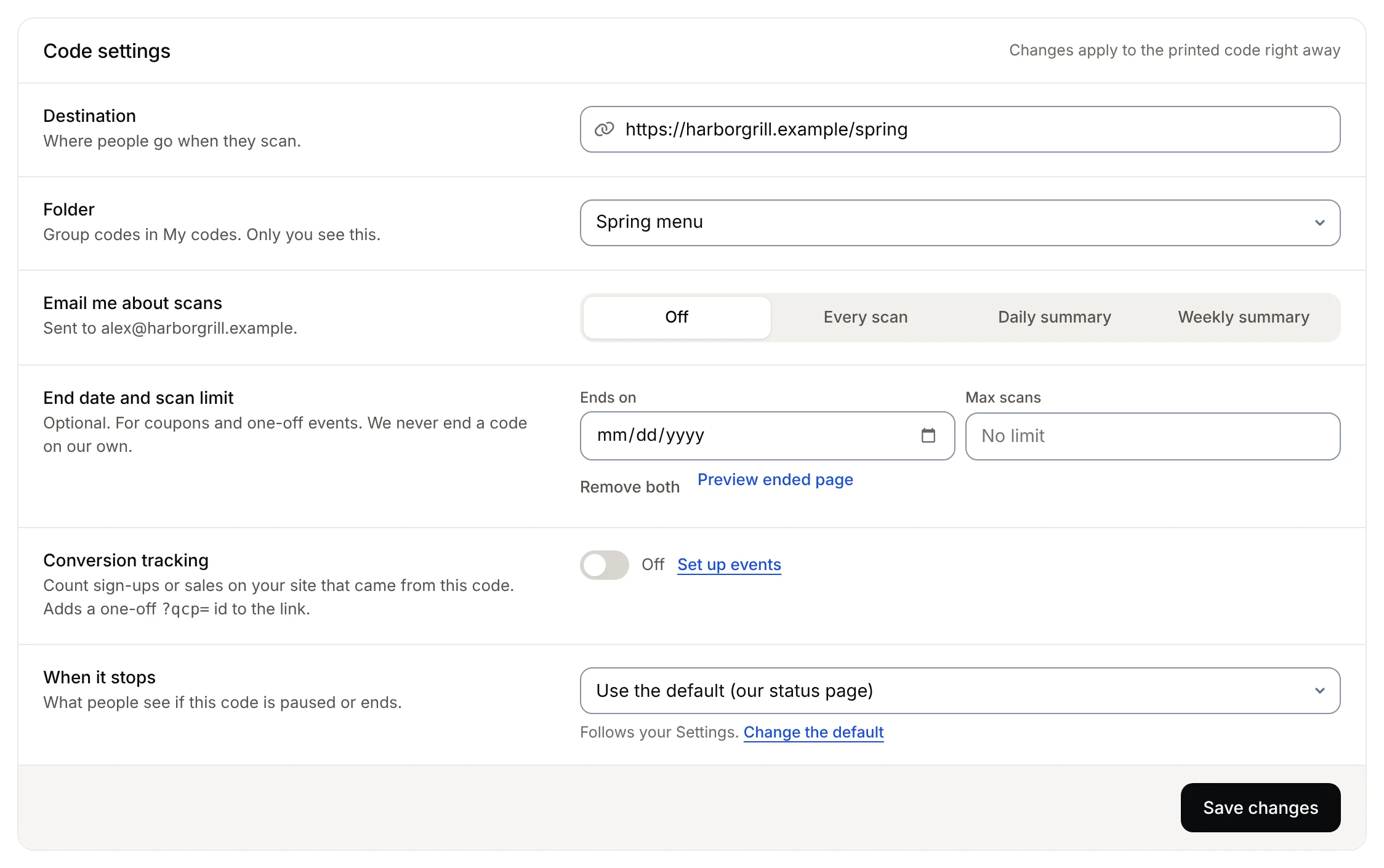
Turn on Password
Under Access, type a password of at least 4 characters.
Tell the right people
Print the code, and share the password with the people it’s for.
After the scan
What people see
A short, plain page asks for the password. Nothing else about your link or page shows until it’s right.
- One questionA password box and an Open button. Nothing from your page shows before it.
- Asked once a dayOnce it’s right, that phone opens the code without asking again for 24 hours.
- Honest numbersScans are counted after the password, so people who stop at the screen don’t inflate your scans.
Safety
Built so it can’t be guessed easily
- Stored scrambledWe keep a hashed copy only. Nobody can read it back, you included. To change it, set a new one.
- Guessing is slowed downAfter 10 wrong tries in 15 minutes from one connection, the code stops taking guesses for a while.
- Works with other settingsCombine it with an end date, a scan limit, a smart redirect or your own domain.
Ideas
Who uses it
- Staff notices and handbooksA code in the break room that only your team can open.
- Members-only offersPrint one code for everyone, and give the password to members.
- Client previewsShare a draft page with a client before it goes public.
- Event packsSchedules and maps for people who registered, not passers-by.
Plans
What each plan includes
| Feature | Free | Lite | Pro | Agency |
|---|---|---|---|---|
| Dynamic codes | 3 | 25 | 250 | 2,000 |
| Password on a code | Not included | Included | Included | Included |
| Password on hosted pages | Not included | Included | Included | Included |
| End date and scan limit | Not included | Included | Included | Included |
| Your own domain | Not included | Not included | Included | Included |
Free accounts make static codes. The link is inside a static code, so it can’t have a password.
Good to know
Before you rely on it
- Dynamic codes onlyA static code has the link inside it, so there’s nothing in between to ask for a password.
- When you can set itSet the password when you make the code. On hosted pages you can also change it later by editing the page.
- One password per codeEveryone uses the same password. To cut off old access, change it.
- A lock, not a vaultOnce unlocked, a link code opens your real web address, which can be copied. Use your site’s own login for anything confidential.
- Plans can end, codes don’tIf your plan ends, the code and its password keep working.
- Pausing comes firstA paused or ended code shows its stopped page, without asking for the password.
FAQ
Questions people ask
Can’t find yours? A person answers every email within 2 working days.
Email usCan I add a password to a QR code I already printed?
For hosted pages, yes: edit the page and turn on Password under Access. For link codes, the password is set when you make the code.
Can I see the password later?
No. We only keep a scrambled copy, so it can’t be shown again. If you forget it, set a new one.
Does the password screen count as a scan?
No. A scan is counted when someone gets past the password, so your numbers show real visits.
How long does a phone stay unlocked?
For 24 hours on the same phone and browser. After that, the code asks again.
Can I protect a static QR code?
No. The link is printed inside a static code and opens directly. Make a dynamic code instead.
What if someone guesses wrong a lot?
After 10 wrong tries in 15 minutes from one connection, the code stops taking guesses for a while.
Put a lock on your next code
Make a dynamic code and turn on Password under Access.
Free QR codes. No watermark. No expiry.
Keep reading