A QR code for your business card
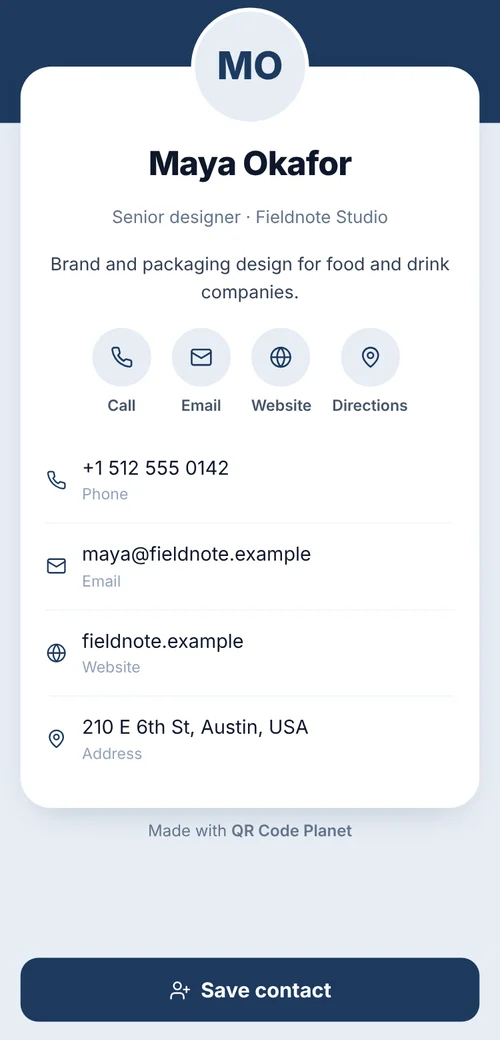
People keep cards but rarely type them in. A contact-card code saves your name, number, email and website straight to their phone. Choose a free static card, or a dynamic one you can edit after the cards are printed.
In short
What a business card QR code does
In shortIt saves your name, phone, email and website to the phone’s contacts in one scan. A static card is free and permanent; an editable card opens a contact page you can update after printing.
At a glance
- Static contact card
- Free, works offline, can’t change
- Editable contact card
- Hosted page, change details any time (any paid plan)
- What it saves
- Name, phone, email, company, website, address
- Size on a card
- About 0.8 inch (2 cm) wide
- Logo in the middle
- Supported, kept under about 25%
The workflow
Your card, saved in one scan
Static or editable
Static puts your details inside the code: free and permanent. Editable opens a contact page you can update.
Fill in your details
Name, title, company, phone, email and website.
Add your logo
If you like. The scan check warns if it gets too big.
Download a vector file
SVG or EPS for the printer, about 0.8 inch (2 cm) wide with a clear margin.
Choosing
Static or editable?
Both save straight into the phone’s contacts. The difference is what happens when your details change.
| Compared | Static card | Editable card |
|---|---|---|
| Price | Free | Any paid plan |
| Change after printing | No | Yes |
| Works without internet | Yes | Needs a connection |
| Scan counts | No | Yes |
| Photo, links and address | Kept short, so it scans at 2 cm | Yes, on the contact page |
Teams
Cards for a whole team
Put everyone’s details in one spreadsheet and upload it to bulk QR codes. You get a ZIP of print-ready files, one per person, to send to the printer with the card artwork.
With editable cards, each person gets their own contact page. When someone changes role or number, you update their page and the cards already handed out stay correct.
Placement
Where each code goes
| Compared | What it opens | Print it at |
|---|---|---|
| Back of the card | Your contact card, with “Scan to save my contact” | About 0.8 in (2 cm) |
| Front corner of a one-sided card | The same code | At least 0.8 in (2 cm) |
| Email signature | The same code, as an image | 100–120 px |
| Slides and name badges | Your contact card | 1.5–3 in (4–8 cm) |
Plans
What it costs
Lite and Pro start with a 7-day free trial.
Free
- A static contact card
- No watermark, no expiry
- SVG, EPS and PDF downloads
Lite, $9 a month or $72 a year
- Editable cards you can update after printing
- Scan counts for each card
- Pro ($24 a month, 3 seats) or Agency ($75 a month, 10 seats) for teams
Good to know
Mistakes to avoid
- Every field in a static codeEach one makes the pattern denser. Name, phone, email and website are enough.
- A website instead of a contact cardPeople then have to find and type your details themselves.
- Low-contrast brand coloursKeep the code dark on a light background.
- Ordering 500 without a testScan a printed proof with two different phones first.
FAQ
Questions people ask
Can’t find yours? A person answers every email within 2 working days.
Email usDoes it work on iPhone and Android?
Yes. Both cameras recognize contact-card codes and offer to save the contact.
How big should the code be on a card?
About 0.8 inch (2 cm) wide, with a clear white margin around it. Fewer details make a simpler code that scans more easily.
Can I change my number later?
With an editable card, yes. With a static card, you’d print new cards.
Keep reading