- Home
- QR code menu
QR code menu generator
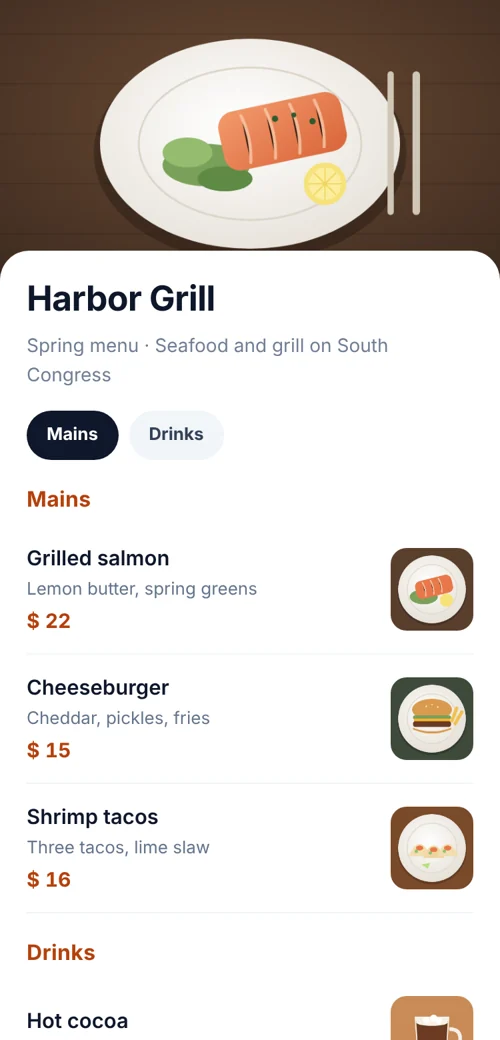
Type your menu into a simple form: sections, dishes, short descriptions and prices. We turn it into a clean page that reads well on any phone, and give you one QR code to print. Change the menu whenever you like; the code stays the same.
 Scan for the menu
Definition
What is a QR code menu?
In shortA QR code menu is a menu page on the web that guests open by scanning a code on the table. You build the page from sections, dishes and prices, print one code, and edit the menu whenever you like without reprinting.
The code is dynamic: it holds a short link to a page we host. That is why you can change a price or add a special after the table tents are printed, and why you can see how often the menu is opened.
At a glance
- Plan
- Any paid plan
- Edit after printing
- Yes, any time
- App needed
- No, opens in the browser
- Scan counts
- By day and hour
- If your plan ends
- The last menu stays online
How it works
Build it in five steps
Choose Menu
In the generator.
Add your name and logo
And a short note such as “Prices include tax.”
Add sections and dishes
Starters, mains, drinks, each item with a price and an optional description.
Pick colours
That match your interior or brand.
Save and print
The code on table tents, the window and takeaway bags.
Compare
Why a menu page beats a PDF
| Compared | Menu page | PDF menu |
|---|---|---|
| On a phone | Text sized for phones, no pinch-zooming | Designed for A4, tiny on a phone |
| Loading | Loads fast on mobile data | Large files load slowly |
| Changes | Edit one price in seconds | Every change means a new export and upload |
| Look | Matches your colours and logo | Whatever the PDF was designed as |
Already have a designed PDF you’re happy with? Use a PDF code.
After printing
Keeping it current
Open the code in My codes to change a price, mark a dish as seasonal or add a special. Guests see the update on their next scan. If you’re running a lunch and a dinner menu, either update one page between services or make two codes.
Good to know
Good to know
- Some guests prefer paperKeep a few printed menus for people without a phone or with low battery.
- Add a short web addressPut it under the code, for example
qrcodeplanet.com/r/cafe-menu, for anyone whose camera won’t scan. - See when people lookScan counts by hour show when guests open the menu, which can help plan staff. See analytics.
FAQ
Questions people ask
Can’t find yours? A person answers every email within 2 working days.
Email usHow much does a menu code cost?
Menu pages are hosted pages, included with every paid plan. See pricing; there’s a 7-day free trial.
Can I add allergens?
Yes, write them in the dish description, for example “Contains nuts”.
Will my menu disappear if I cancel?
No. The code keeps showing your last menu. You can’t edit it until you subscribe again.
Keep reading