- Home
- Custom domain
Custom domain for QR codes: short links on your own brand
Your codes open go.yourbrand.com/menu instead of our address, with HTTPS included.
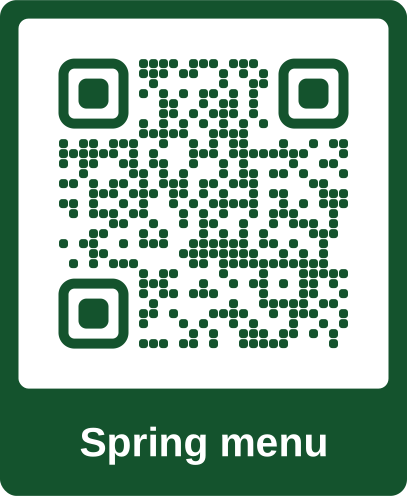
Before
qrcodeplanet.com/r/k7q2xb
With your domain
go.harborgrill.co/spring
People see your name when they scan, and in the link they share.
Definition
What is a custom domain for QR codes?
In shortA custom domain puts your QR codes’ short links on a domain you own, so a scan opens go.yourbrand.com/menu rather than a QR service’s address.
In QR Code Planet you add a subdomain in Settings, copy three DNS records to wherever you manage DNS, and we add HTTPS. Once it’s connected, make it your default and new codes use it. Only your workspace’s codes open on it.
The problem
Your code, someone else’s name
When people scan, the first thing many phones show is the link. A QR service’s address tells them nothing about you, and a link they share later points at someone else’s brand.
| Compared | Our domain | Your domain |
|---|---|---|
| The link | qrcodeplanet.com/r/k7q2xb | go.yourbrand.com/spring |
| Before opening | People see a name they may not know | People see your name |
| When shared | The link carries our name | The link carries yours |
| Pages and scan screens | Show “Hosted by QR Code Planet” | Can hide it with white label (Agency) |
How it works
Connect your domain in three steps
Add a subdomain
In Settings, then Domain & branding. Use one you don’t need for anything else, like go.yourbrand.com.
Copy three records
Add them where you manage DNS. Each one has a copy button.
We add HTTPS
We check every hour, or press Check DNS. Once it’s found, HTTPS is added and the domain is ready.
Setup
The three DNS records
Settings shows your exact names and values. They follow this pattern.
| Type | Name | Value | Why |
|---|---|---|---|
| CNAME | go.yourbrand.com | domains.qrcodeplanet.com | Points your domain to us |
| TXT | _cf-custom-hostname.go.yourbrand.com | A value from Settings | Proves you own the domain |
| TXT | _acme-challenge.go.yourbrand.com | A value from Settings | Lets us issue the HTTPS certificate |
scan.harborgrill-events.comValuedomains.qrcodeplanet.com_cf-custom-hostname.scan.harborgrill-events.comValue4b8f2c1e-7a3d-4e9b-9c21-5d6e8f0a1b2c_acme-challenge.scan.harborgrill-events.comValueXh3kP9vQ2mR7tY1wZ5nB8cD4fG6jL0sA- Up to 24 hoursDNS changes usually show up within minutes, but can take a day to spread.
- Checked every hourOr press Check DNS to check now. The page shows the last check.
- HTTPS includedThe certificate is issued and renewed for you.
Using it
New codes use your domain
Make a connected domain the default and every new code uses it, including bulk batches. Pick a different domain for a single code in its advanced settings.
 Jazz night ticketsRedirect · Nov 13, 2026harborgrill.example/jazz
r/jazz240ActiveEditGoogle review cardRedirect · Nov 12, 2026g.page/r/harborgrill/reviewgo.harborgrill.co/review0ActiveEditTable 1Redirect · Nov 11, 2026harborgrill.example/menu?t=1go.harborgrill.co/t10ActiveEditSpring menu posterRedirect · Nov 10, 2026harborgrill.example/springgo.harborgrill.co/spring0ActiveEdit- A default for new codesSwitch the default at any time. Codes already made keep their link.
- Our domain stays availableqrcodeplanet.com/r is always there, for codes that don’t need your brand.
- Only your codes openA code from another workspace shows “not found” on your domain.
White label
Hide our name too
On Agency, turn on white label in the same settings to hide “Hosted by QR Code Planet” on your pages and scan screens, so clients see only your brand. More about white label.
- AgenciesUp to 5 domains: one for each client brand, with white label on.
- Shops and restaurantsOne domain on every menu, table and poster.
- CompaniesCodes on staff cards and packaging that match your website.
Plans
What each plan includes
| Feature | Free | Lite | Pro | Agency |
|---|---|---|---|---|
| Custom domains | Not included | Not included | 1 | 5 |
| HTTPS on your domain | Not included | Not included | Included | Included |
| White label | Not included | Not included | Not included | Included |
| Dynamic codes | 3 | 25 | 250 | 2,000 |
Good to know
Before you connect
- Subdomains onlyUse go.yourbrand.com, not yourbrand.com. Root domains can’t point to us with a CNAME.
- Keep the recordsPrinted codes on your domain need the DNS records for as long as they’re in use.
- The bare domain opens our siteVisiting go.yourbrand.com with nothing after it opens qrcodeplanet.com, so use a subdomain just for codes.
- Owners and admins manage itEveryone in the workspace can make codes on a connected domain.
- Codes from the APICodes made through the API use our domain.
- Removing a domainCodes printed with it stop opening. The same codes still open on their qrcodeplanet.com link.
FAQ
Questions people ask
Can’t find yours? A person answers every email within 2 working days.
Email usWhich plans include a custom domain?
Pro includes 1 custom domain and Agency includes 5. Removing “Hosted by QR Code Planet” from your pages and scan screens (white label) is part of Agency.
Can I use my main domain, like yourbrand.com?
No, use a subdomain such as go.yourbrand.com or scan.yourbrand.com. Root domains can’t point to us with a CNAME record, and a subdomain keeps your website separate.
What DNS records do I add?
A CNAME record that points your subdomain to domains.qrcodeplanet.com, a TXT record that proves you own it, and a TXT record that lets us issue the HTTPS certificate. Settings shows each one with a copy button.
How long does it take?
Usually minutes, but DNS changes can take up to 24 hours to spread. We check every hour, or you can press Check DNS to check straight away. HTTPS is added automatically.
Which codes use my domain?
Once your domain is connected, make it the default and new codes use it, including bulk batches. You can also pick the domain for one code in its advanced settings. Our domain stays available too.
Can someone else’s codes open on my domain?
No. Only codes from your workspace open on your domain. Anything else shows a “not found” page.
What happens if I remove the DNS records?
Codes printed with your domain stop opening, because phones can’t reach the link any more. Keep the records in place for as long as those codes are in use.
Can my team manage domains?
The workspace owner and admins can add, check and remove domains. Everyone in the workspace can make codes on them.
Put your brand on every scan
Add a subdomain, copy three records, and you’re done.
Free QR codes. No watermark. No expiry.
Keep reading