

A coffee stamp card that can’t be lost or filled with a borrowed pen
Paper stamp cards get lost in coat pockets and filled in with a borrowed pen. A QR code on the counter stand puts the card on the customer’s phone instead, with no app and no account, on the same page as your menu. Change a price and the page shows it on the next scan. Wi-Fi and review codes are free.
In short
What can a QR code on a coffee shop counter do?
In shortThe counter stand opens one page we host, behind a dynamic code: a stamp card that lives on the customer’s phone and a menu you change when prices do. Stamps come only from the till, so a card can’t be filled at home. Free static codes cover guest Wi-Fi and Google reviews.
If you cancel, the counter stand still opens your page and menu, because the code points to a short link we run, not to your plan. Until you subscribe again, new stamps and new members stop and the menu can’t be edited. The Wi-Fi and review codes are static and never depended on a plan. The pledge sets this out.
At a glance
- Stamp card
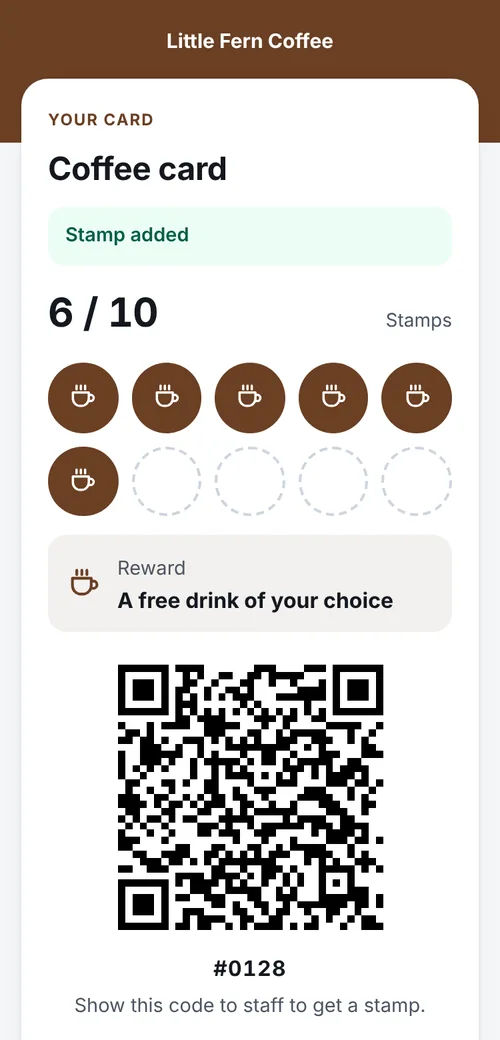
- On the customer’s phone, no app or account (any paid plan)
- Stamps
- From a counter code that changes every 45 seconds, or a staff scan
- Menu
- A hosted menu page you can edit any time (any paid plan)
- Orders to the table
- From the menu page, paid at the counter or table (Pro)
- Wi-Fi and reviews
- Free static codes
The workflow
From paper stamps to a card on the phone
Make your page
A business page with your hours and address, or a menu page with drinks and prices.
Turn on the coffee card
Name it, choose the number of stamps and the reward: “10 stamps, a free drink”. Pick the cup icon.
Print one code
On the counter and the window. Customers scan, tap “Loyalty card” and the card is on their phone.
Stamp at the till
Show the counter code on a tablet, or scan the customer’s card in the app. Redeem when it’s full.
The codes
What each code does
- Coffee cardCustomers join from your page with no app and no name. One stamp per visit, set by you, so a card can’t be filled in one go. Loyalty cards.
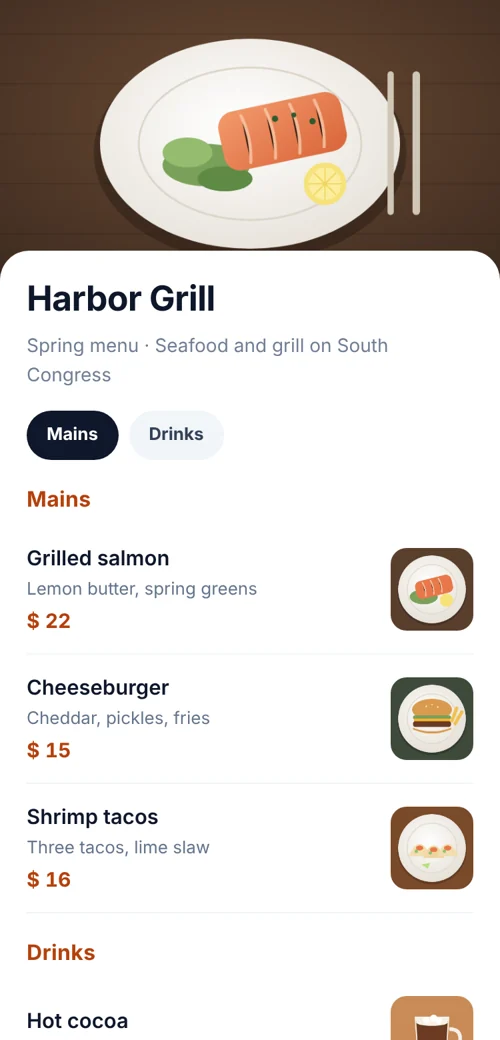
- MenuDrinks, sizes, milks and pastries on a menu page that opens fast on a phone. Change a price and the printed code shows it on the next scan.
- Orders to the tableOn Pro, guests send their order from the menu page with the table number, and you see it in the app. They pay as they do now. Table ordering.
- Menus in other languagesNear a station or in a tourist street? The menu opens in the scanner’s phone language, translated for you. Multi-language pages.
Stamps
A stamp card that can’t be filled from home
Stamps come only from the counter code, which changes every 45 seconds, or from a staff member scanning the customer’s card in the app. You choose how many hours must pass between stamps, and a full card is redeemed by staff, with any extra stamps carried over. Stamps and redeems can be undone for a few minutes if someone taps twice.
Customers don’t give a name. A card holds a number and its stamps; an email address is optional and only used to send the card back to a new phone. On Pro the card can also go into Apple Wallet or Google Wallet.
Breakfast to lunch
One printed code, the right menu for the time
Most cafés change the board twice a day. Either edit one menu page when service changes, or, on Pro, use a smart redirect: the same table sticker opens the breakfast menu until 11 and the lunch menu after. Seasonal drinks go on the page the day they start, with no new print run.
Want a fuller page with photos, a Wi-Fi block and a map? The page builder has a coffee shop template to start from.
Placement
Where each code goes
Counter stands are read from arm’s length, window stickers from a step or two away. More sizes are in the printing guide.
| Compared | What it opens | Print it at |
|---|---|---|
| Counter stand by the till | The coffee card and menu page, with a tablet showing the stamp code | 1.5–2 in (4–5 cm) |
| Window | The menu, for people deciding whether to come in | 3–4 in (8–10 cm) |
| Table stickers | The menu and orders, with the Wi-Fi code beside it | 1–1.2 in (2.5–3 cm) |
| Receipts and cup sleeves | The review code | About 1 in (2.5 cm) |
Plans
What it costs
Lite and Pro start with a 14-day free trial.
Free
- The Wi-Fi code
- The review code
- An Instagram code
- No watermark, no expiry
Lite, $9 a month or $72 a year
- The menu or business page, edit it any time
- One stamp card program for up to 300 members
- Up to 25 dynamic codes and scan counts
- Pro ($24 a month) adds orders to the table, breakfast and lunch redirects, 10 programs for 5,000 members each and Wallet passes
Good to know
Before you start
- No paymentsWe don’t take card payments or sell gift cards. Orders are paid at the counter or table as now.
- Staff stamp with the appStaff scans and redeems are done in the QR Code Planet app; without signal they’re sent later.
- Old cards are deletedCards with no visit for 18 months are removed. Optionally, stamps expire sooner.
- Say what the code does“Scan for your coffee card” gets more scans than a bare code.
FAQ
Questions people ask
Can’t find yours? A person answers every email within 2 working days.
Email usDo customers need an app for the stamp card?
No. They join from your page in the phone’s browser. On Pro they can also add the card to Apple Wallet or Google Wallet.
How do I stop people stamping their own cards?
Stamps only come from the counter code, which changes every 45 seconds, or from a staff scan, and you set the hours between stamps.
What happens to the old paper cards?
Staff can add stamps to a new digital card in the app, up to 10 at a time, so regulars keep what they had.
Which plan do I need?
The stamp card and menu page come with every paid plan, Lite included. Orders to the table, Wallet passes and more than one program need Pro.
Can I see how many regulars I have?
Yes. The loyalty page shows members, stamps over the last 14 days and rewards given, and you can export the members list.
Keep reading
Related
 QR code loyalty cardsStamp cards on the phone, no app.
 QR codes for restaurantsTable tents that show today’s prices. Edit the menu, not 40 tents.
- QR code menuA mobile menu page with sections and prices. Edit it any time.
 Google review QR codeCustomers scan and land straight on your Google review form.
- Wi-Fi QR codeGuests scan once and they’re on your network. No password typing.