- Home
- QR code management
QR code management: every code in one place, and in your control
See all your codes and their scans, change where any of them points, and decide when they stop.
Definition
What is QR code management?
In shortQR code management is keeping track of all your codes in one place: where each one points, how often it’s scanned, and changing or stopping it when you need to.
In QR Code Planet that place is My codes. Every dynamic code is listed with its destination, short link and scans. Open a code to see its scans in detail, change its settings, or bring back a link it used before.
The problem
Codes get printed, then forgotten
A code goes on a menu, a poster or a box, and months later nobody remembers where it points or whether it still works. When a link changes, someone has to find the code and fix it before people notice.
| Compared | Scattered codes | Managed in My codes |
|---|---|---|
| Where a code points | Scan it and see | Listed next to every code |
| A link changes | Reprint, or leave a broken code | Change the destination. The printed code keeps working |
| A mistake | Hard to undo | Restore the old link from Link history |
| An offer ends | The code keeps sending people to it | Set an end date and choose what people see |
How it works
Organize, change and control
Organize
Put codes in folders, then search, filter and sort to find any of them in seconds.
Change
Point a code somewhere new. The printed code stays the same.
Control
Pause a code, or set when it ends. Choose what people see when it stops.
My codes
All your codes in one list
The top of the list shows your totals, this week’s scans and your busiest code. Below, every code with its destination, short link and scans.
 Google review cardRedirect · Nov 10, 2026g.page/r/harborgrill/review
r/hg-review199ActiveEditWine tasting RSVPRedirect · Events · Nov 9, 2026harborgrill.example/winer/hg-wine89ActiveEditJazz night ticketsRedirect · Events · Nov 8, 2026harborgrill.example/jazzr/hg-jazz241ActiveEditSpring menu flyerRedirect · Spring menu · Nov 7, 2026harborgrill.example/spring?src=flyerr/hg-flyer95ActiveEditSpring menu posterRedirect · Spring menu · Nov 6, 2026harborgrill.example/springr/hg-spring500ActiveEditTable 3Redirect · Restaurant tables · Nov 5, 2026harborgrill.example/menu?t=3r/hg-t3133ActiveEdit- FoldersMake, rename and delete folders, and see how many codes each one holds.
- Search, filter and sortSearch by name or link, show links or pages, and sort by newest, most scanned or name.
- Export to CSVEvery code’s name, short link, destination, status and scans, in one file.
Change
Point a printed code somewhere new
The printed code never changes. Only where it sends people does, and every change can be undone.
Wine tasting RSVPqrcodeplanet.com/r/hg-wine- Nothing to reprintPeople who scan go to the new link straight away.
- New links are checkedEach new destination is checked for safety before it goes live.
- Undo in one clickRestore any earlier link if a change went wrong.
Each code
Scans for every code
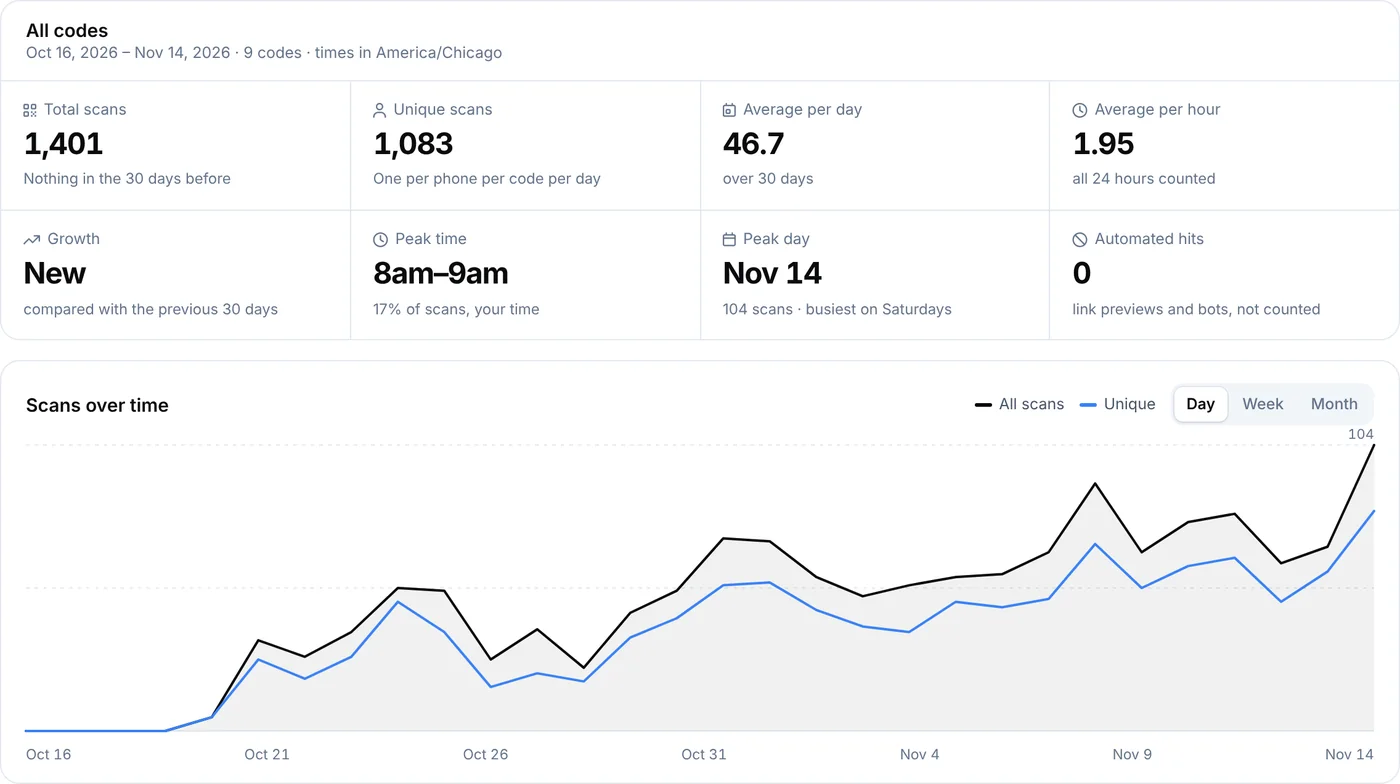
Open a code to see its scans for the last 7, 30 or 90 days, by day, country, city and device. No names, IP addresses or tracking cookies.
For all your codes at once, and for unique scans and times of day, see QR code analytics.
Control
Decide when a code works
Every code has its own settings. We never end a code on our own.
- End date and scan limitFor coupons and one-off events. Preview the page people will see.
- When it stopsOur status page, a backup link or your own message, when a code is paused or ends.
- Scan emailsA daily or weekly summary, and more scan alerts.
When you make a code you can also give it a start date and a password. Sending scans to different links by device, country or time is a smart redirect (Pro).
Plans
What each plan includes
| Feature | Free | Lite | Pro | Agency |
|---|---|---|---|---|
| Dynamic codes | 3 | 25 | 250 | 2,000 |
| Folders, search and CSV export | Not included | Included | Included | Included |
| Change destination, Link history | Not included | Included | Included | Included |
| Pause, end date, scan limit, password | Not included | Included | Included | Included |
| Smart redirects and conversion tracking | Not included | Not included | Included | Included |
| Team with folder access | Not included | Not included | 3 seats | 10 seats |
Free accounts make static codes, which can’t be changed after printing. Dynamic codes keep working with their last link if a plan ends.
Good to know
Before you rely on it
- Dynamic codes onlyStatic codes have the link inside them, so they can’t be changed or paused.
- Short links never changeA code’s short link stays the same for its whole life, so printed codes keep working.
- Plans can end, codes don’tIf your plan ends, dynamic codes keep sending people to their last link.
- Deleting is finalA deleted code stops working. Pause it instead if you might need it again.
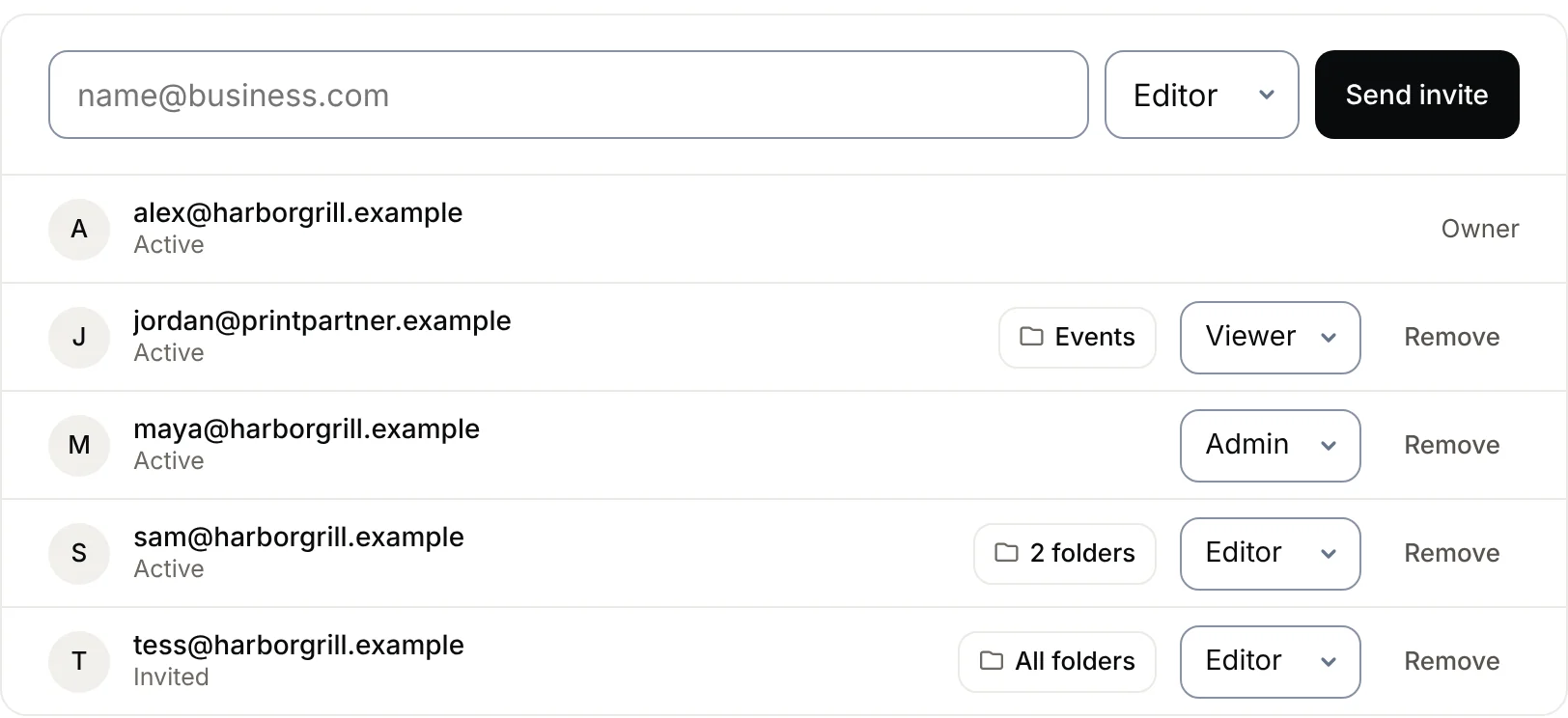
- Share the workInvite your team and limit people to certain folders on Pro and Agency.
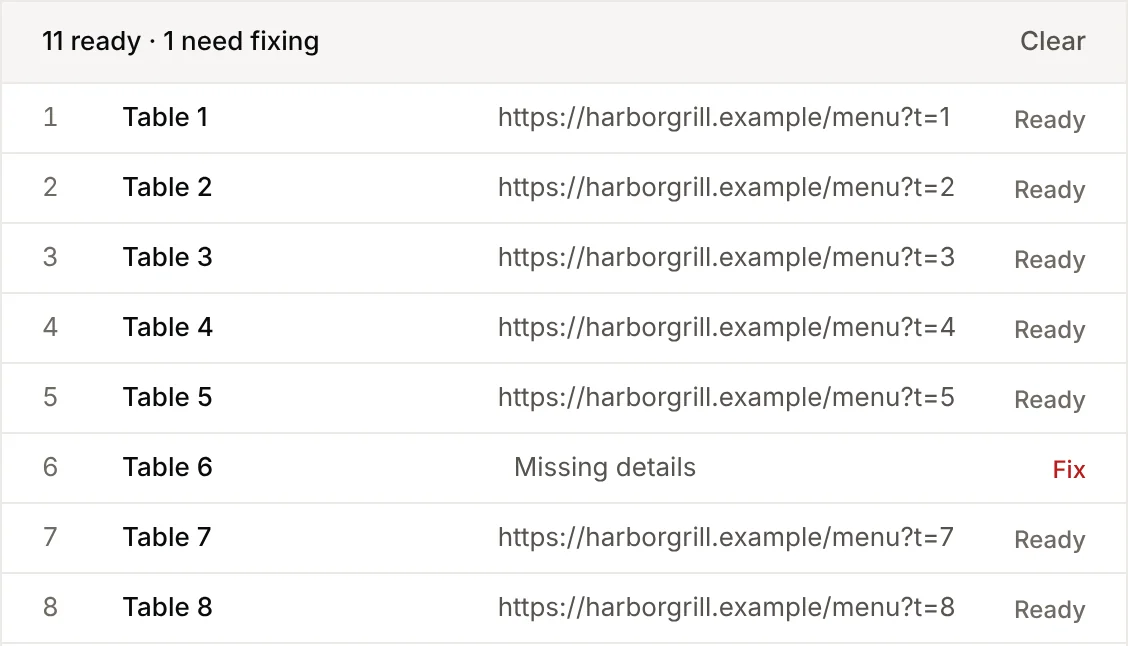
- Make many at onceBulk creation adds a whole spreadsheet of codes to a folder in one go.
FAQ
Questions people ask
Can’t find yours? A person answers every email within 2 working days.
Email usCan I change a QR code after printing it?
Yes, if it’s a dynamic code. Change its destination in My codes and the printed code sends people to the new link. Static codes can’t change, because the link is inside the code.
What happens to my codes if my plan ends?
Dynamic codes keep working with their last link. You can’t make new dynamic codes until you’re on a paid plan again.
Can I undo a change?
Yes. Each code’s Link history lists every link it has used, with when and who changed it. Restore any of them in one click.
Can I stop a code without deleting it?
Yes. Pause it, or set an end date or a maximum number of scans. People then see our status page, a backup link or your own message, whichever you choose.
Do you ever end codes on our own?
No. A code only stops if you pause it, set an end date or scan limit, or delete it. Codes that break our rules can be blocked after review.
Can I organize codes into folders?
Yes. Create folders in My codes, put codes in them, and filter by folder. Team members can be limited to certain folders.
Can I export my codes?
Yes. Export every code’s name, short link, destination, status and scans as a CSV from My codes, and each code’s scans from its own page.
Can I get told about scans?
Yes. Each code can email you on its first scan, or send a daily or weekly summary. More in scan alerts.
Keep every code under control
Make a dynamic code and manage it from My codes.
Free QR codes. No watermark. No expiry.
Keep reading