

Send QR code leads and scans to the apps you use
Connect Google Sheets, HubSpot, Zapier or Make once. Every new lead, scan or code goes there on its own, without exporting a CSV.
Definition
Which apps does QR Code Planet connect to?
In shortQR Code Planet sends new leads to Google Sheets and HubSpot, and new leads, scans, daily scan totals and new codes to Zapier and Make, which can pass them on to the other apps you use.
Set it up once under Settings → Integrations on the website, or More → Integrations in the app. Deliveries run in the background, so a slow app never holds up a scan or a form.
At a glance
- Google Sheets
- Every paid plan
- HubSpot, Zapier, Make
- Pro and Agency
- Events
- New lead, new scan, daily scan totals, new code
- If a delivery fails
- Leads and new codes are tried again for about two days
- Scans to Zapier or Make
- Each one or 1 in N, up to 120 an hour
How it works
From scan to spreadsheet
Collect leads or scans
From a lead form, a page with a form, a team card exchange, or any dynamic code.
Connect an app
Sign in to Google, paste a HubSpot token, or make a key for Zapier or Make.
Choose what to send
Sheets and HubSpot get leads. A Zap or a Make scenario can start on a lead from one form or all, a scan, daily totals or a new code.
It arrives on its own
Seconds after the lead is saved. Recent problems show on the Integrations page.
Apps
What each app gets
| Compared | What it receives | How you connect |
|---|---|---|
| Google Sheets | One tab per form, one row per lead, and an optional “Daily scans” tab | Sign in with Google. We can only open the spreadsheets we create. |
| HubSpot | Each lead creates or updates a contact by email, with the answers as a note | Paste a private app token from your HubSpot account. |
| Zapier | New leads, new scans, daily scan totals and new codes | Our Zapier app is coming soon. Until then, make a key in Settings and connect with Webhooks by Zapier. |
| Make | The same four events | Our Make app is coming soon. Until then, make a key in Settings and connect with Make’s HTTP and webhook modules. |
Use cases
What people build with it
- A live sign-up sheetEvent registrations fill a Google Sheet the whole team can see.
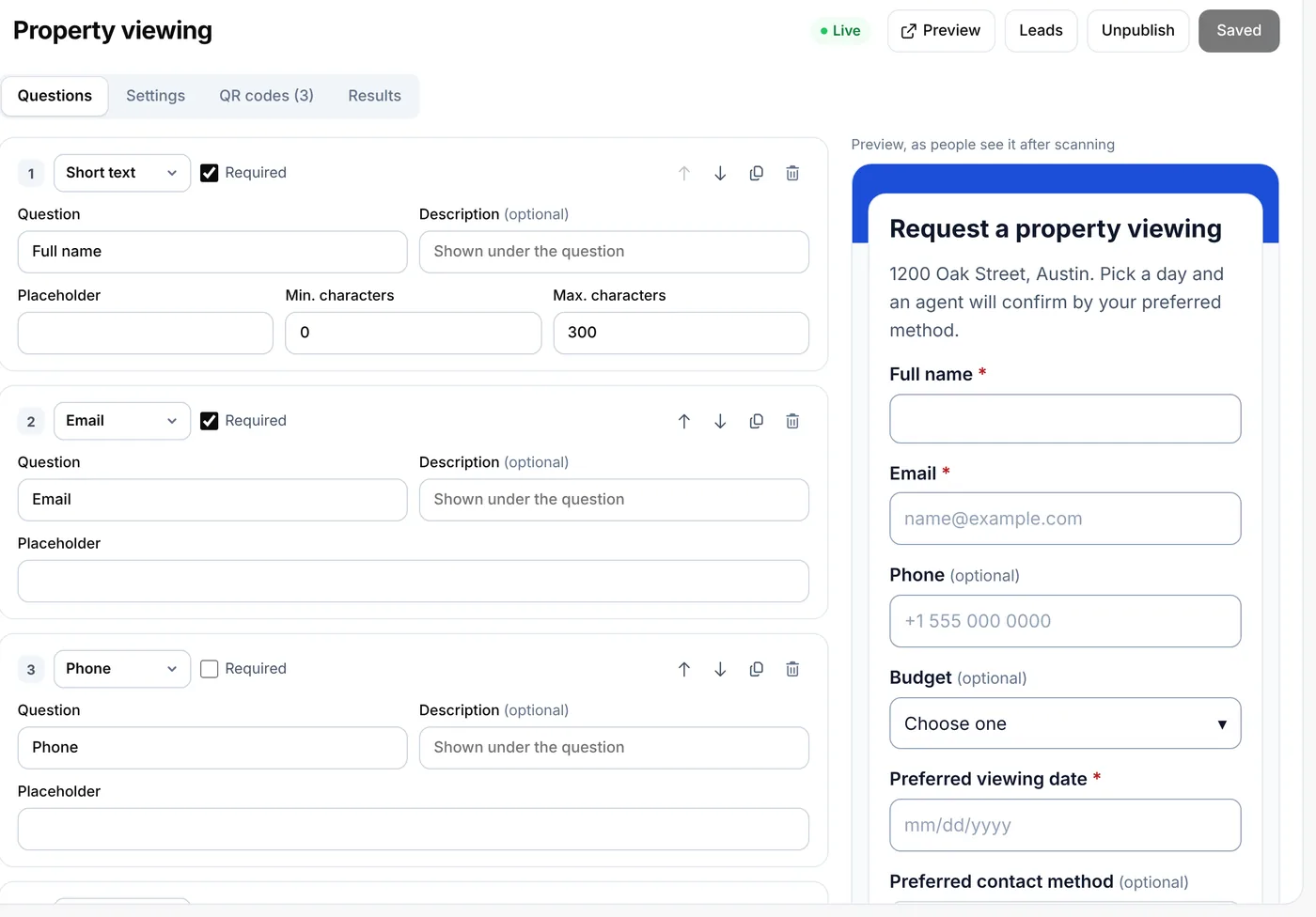
- Leads in your CRMViewing requests from yard signs become HubSpot contacts with their answers attached.
- Instant follow-upA Zap sends a welcome email or a team chat message when a form comes in.
- A daily scan reportDaily scan totals go to a sheet or a dashboard through Make.
Plans
What each plan includes
| Feature | Free | Lite | Pro | Agency |
|---|---|---|---|---|
| Google Sheets | Not included | Included | Included | Included |
| “Daily scans” tab in Sheets | Not included | Included | Included | Included |
| HubSpot | Not included | Not included | Included | Included |
| Zapier and Make | Not included | Not included | Included | Included |
Lite is $9 a month and Pro $24 a month; both start with a 7-day free trial. For your own software, Agency adds the developer API.
Good to know
Good to know
- Tokens are sealedGoogle and HubSpot tokens are stored encrypted. Disconnect at any time.
- Keys you can revokeEach key made for Zapier or Make can be revoked, and its Zaps stop at once. Up to 10 keys.
- Scan events are cappedA Zap gets up to 120 scans an hour. For busy codes, send 1 in N, or daily totals.
- Leads stay in LeadsLeads sent to other apps are still in your Leads list and count towards the plan’s monthly leads.
Also new
More new features
Each works with the dynamic codes, pages and forms you already have.
- Retargeting pixelsShow ads to people who scanned
- A/B testingSplit scans between two or three pages
- Wallet passesCards, coupons and tickets in Apple and Google Wallet
- Multi-language pagesEach scanner reads the page in their language
- Table orderingOrders to the table and table bookings
- Event ticketsQR tickets and check-in with your phone
- Loyalty cardsDigital stamp cards, no app to install
- Team business cardsOne design for everyone, managed in one place
- GS1 Digital LinkPackaging QR codes for Sunrise 2027
- SSO & activity logSAML sign-in and a log of every change
FAQ
Questions people ask
Can’t find yours? A person answers every email within 2 working days.
Email usIs Google Sheets included on Lite?
Yes. Google Sheets is part of every paid plan. HubSpot, Zapier and Make are part of Pro and Agency.
Can I send only one form’s leads?
Yes. In Google Sheets each form gets its own tab. In Zapier and Make, a trigger can follow one form or all of them.
What happens if Google Sheets or HubSpot is down?
The lead is kept and sent again over about two days. Recent problems show on the Integrations page, and the lead is in your Leads list either way.
Can I send scans to Google Sheets?
Yes, as daily totals: turn on the “Daily scans” tab. Each single scan can go to Zapier or Make instead.
Is there an API?
Yes. On Agency, the developer API creates and updates codes from your own software.
Keep reading
Related
 QR lead formsCollect bookings and inquiries from a scan
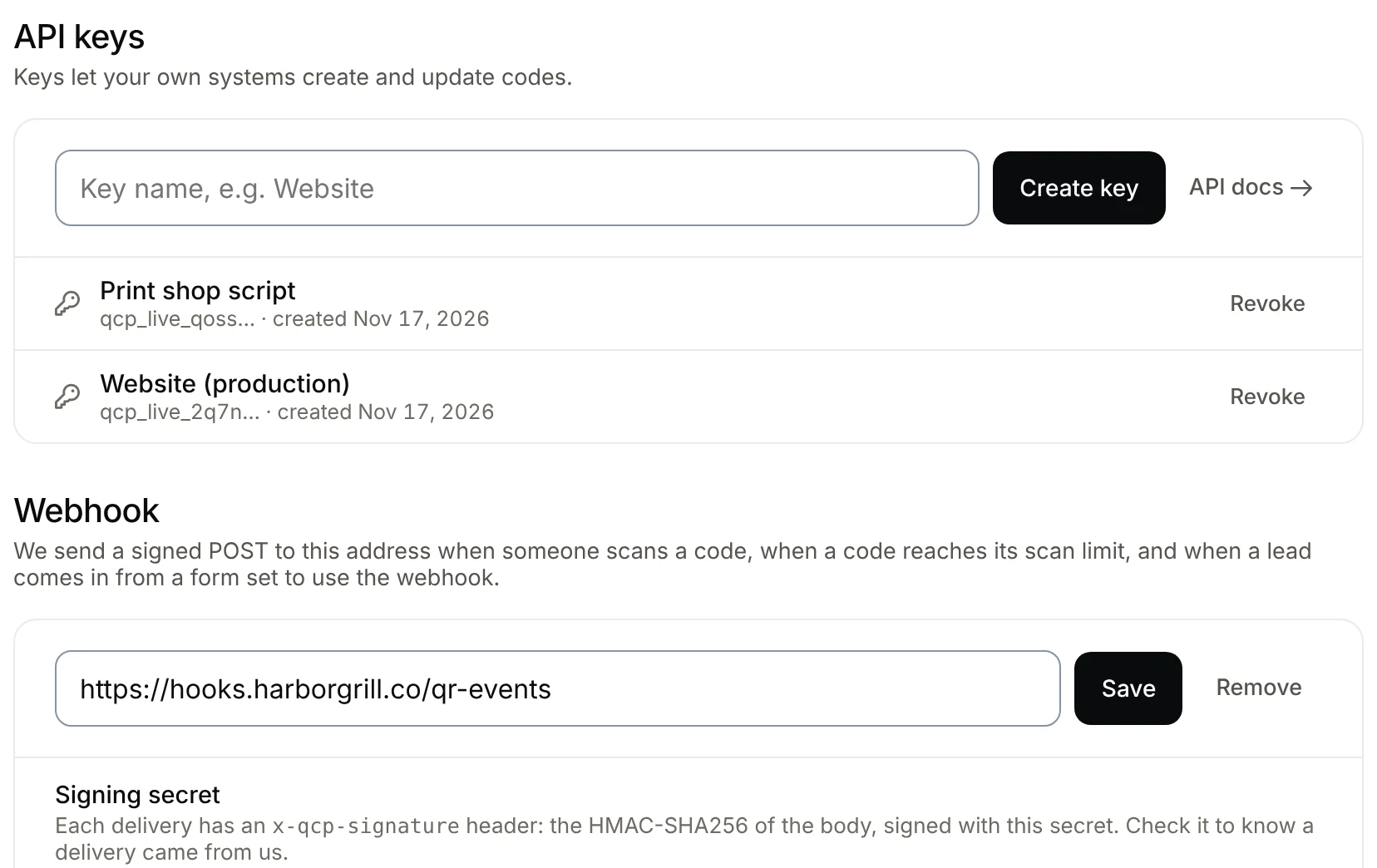 QR code APIA REST API for dynamic QR codes: create codes, change where they point, pause them and read scan counts from your own software, with signed webhooks for scans and leads. Agency plan.
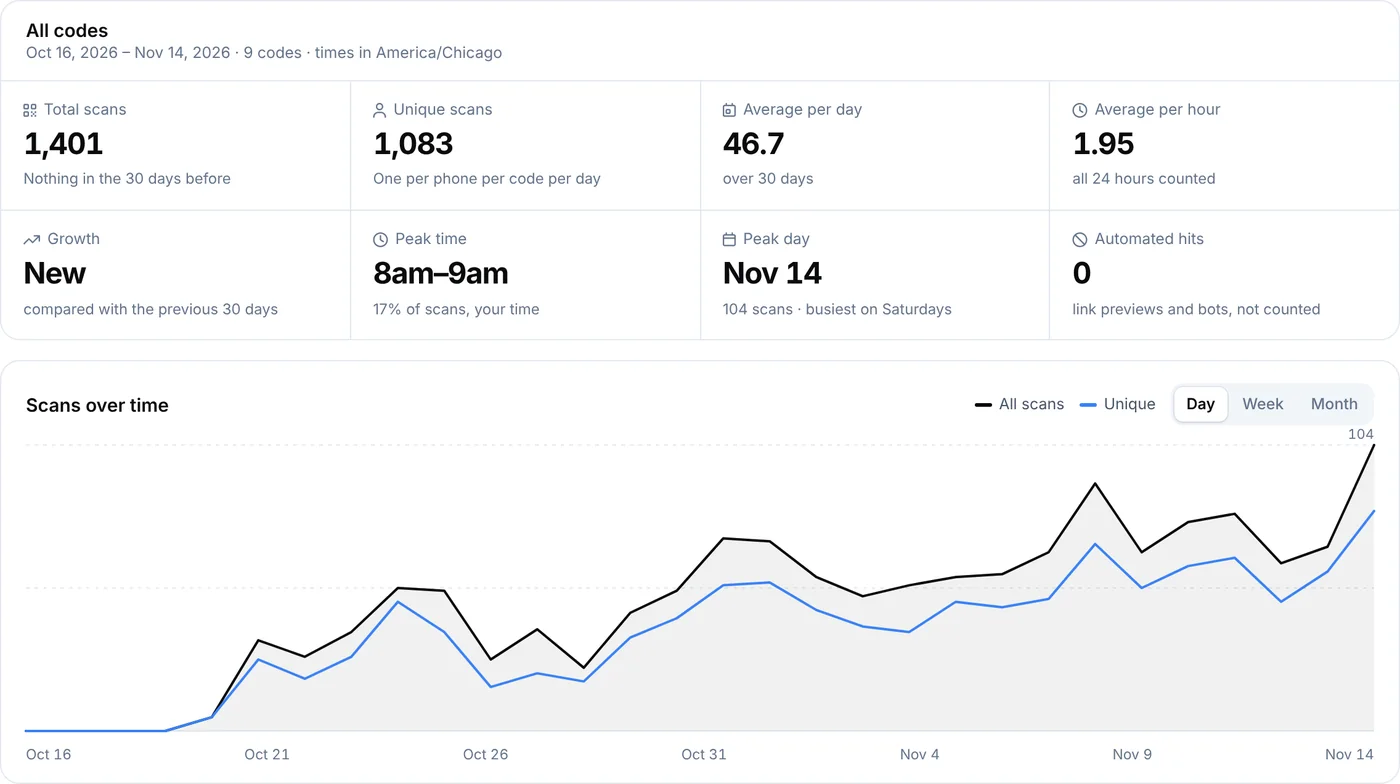 QR code analyticsScans by day, hour, country, city and device for every dynamic code.
- PricingFree, Lite, Pro and Agency, monthly or yearly.