
- Home
- QR code types
- Zoom QR code
Zoom QR code generator
Paste your Zoom meeting link or enter the meeting ID. People scan and join from their phone, without typing a long ID and passcode.
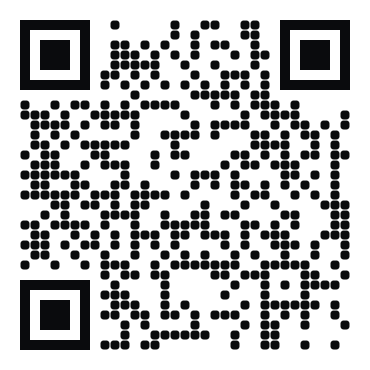 Join the weekly call
Definition
What is a Zoom QR code?
In shortA Zoom QR code opens your meeting link, so people join from their phone in one tap. The invite link usually includes the passcode, so nobody has to type it. It’s free as a static code.
With only a meeting ID, people are asked for the passcode if the meeting has one. For a recurring meeting the link stays the same; for a new meeting each time, use a dynamic code and change it.
At a glance
- Price
- Free as a static code
- You enter
- The invite link, or a meeting ID
- Opens
- The meeting in the Zoom app, or in the browser
- Needs the app?
- No: it opens in the browser when the app isn’t installed
- Code type
- Static, or dynamic on a paid plan
- Leaves our servers?
- A static code is made in your browser
How it works
Make one in four steps
Choose Zoom
Open the generator and pick the Zoom type.
Paste the invite link
In Zoom, open the meeting and copy the invite link. Or type the meeting ID.
Style it
Colours, shapes, your logo and a frame that says what the code does.
Download and print
PNG for slides and screens; SVG, PDF or EPS for print.
Where to use it
Where a Zoom code helps
- Meeting roomsOn the door or the screen, for remote people joining in.
- Events and classesOn flyers and slides, for the online stream.
- Hybrid teamsOn printed agendas and notice boards.
- Office hoursOn posters for drop-in support sessions.
Good to know
Things to know
- The link holds the passcodeAnyone with the code can join. Use the waiting room for meetings that shouldn’t be open to all.
- Choose Dynamic to change it laterOn a paid plan, save it as a dynamic code. You can then point it somewhere else after printing and see how many people scanned.
- New meeting, same codeA dynamic code can point to next week’s meeting without reprinting.
- Test it firstScan the code and join to check the right meeting opens.
FAQ
Questions people ask
Can’t find yours? A person answers every email within 2 working days.
Email usIs a Zoom QR code free?
Yes, as a static code: no watermark and no expiry. A free account includes 10 static codes a month; paid plans have no limit.
Do people need the Zoom app?
No. Without the app, Zoom offers to join from the browser.
Can I use only the meeting ID?
Yes. People are then asked for the passcode if the meeting has one.
Keep reading