
- Home
- QR code types
- Telegram QR code
Telegram QR code generator
Enter a Telegram username or paste a t.me link. People scan and land in your chat, group, channel or bot, ready to send a message or join.
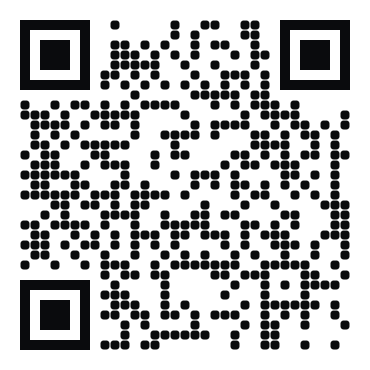 Chat with us on Telegram
Definition
What is a Telegram QR code?
In shortA Telegram QR code opens a t.me link: a person, a bot, a public group or a channel. Telegram opens it in the app, or in the browser on a phone without the app. It’s free as a static code.
For a private group, paste its invite link (t.me/+…) instead of a username. Anyone with the code can join, so use one you’re happy to share.
At a glance
- Price
- Free as a static code
- You enter
- A username, or a t.me link
- Opens
- Your chat, group, channel or bot in Telegram
- Needs the app?
- No: it opens in the browser when the app isn’t installed
- Code type
- Static, or dynamic on a paid plan
- Leaves our servers?
- A static code is made in your browser
How it works
Make one in four steps
Choose Telegram
Open the generator and pick the Telegram type.
Add the username or link
Type the username without the @, or paste a t.me link from Telegram’s Share or Invite screen.
Style it
Colours, shapes, your logo and a frame that says what the code does.
Download and print
PNG for screens; SVG, PDF or EPS for print. Scan it once before you print.
Where to use it
Where a Telegram code helps
- CommunitiesOn flyers and slides, to join a group or channel in one tap.
- Customer supportOn receipts and packaging, to reach your support chat or bot.
- EventsOn badges and screens, for the event’s chat.
- Social linksNext to your other profiles on cards and signs.
Good to know
Things to know
- Usernames are publicA username link opens your profile for anyone. For a private group, use an invite link you can revoke.
- Choose Dynamic to change it laterOn a paid plan, save it as a dynamic code. You can then point it somewhere else after printing and see how many people scanned.
- Invite links can changeIf you reset a group’s invite link, a static code stops working. A dynamic code can be updated.
- Check before you printScan the code and make sure your own chat or channel opens.
FAQ
Questions people ask
Can’t find yours? A person answers every email within 2 working days.
Email usIs a Telegram QR code free?
Yes, as a static code: no watermark and no expiry. A free account includes 10 static codes a month; paid plans have no limit.
Can it open a private group?
Yes. Paste the group’s invite link (t.me/+…). Anyone who scans can ask to join or join, depending on the group’s settings.
Does it need the Telegram app?
No. Without the app, the link opens Telegram’s web page, which offers to open or install the app.
Keep reading