
- Home
- QR code types
- PayPal QR code
PayPal QR code generator
Enter your PayPal.me name and, if you like, an amount. People scan, PayPal opens with your page ready, and they pay you in a few taps.
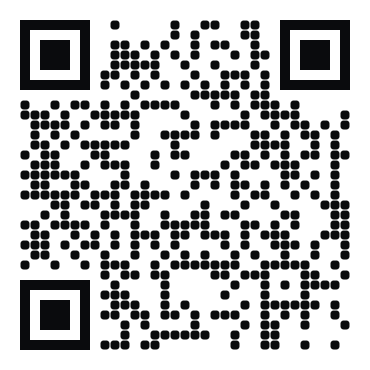 Scan to pay with PayPal
Definition
What is a PayPal QR code?
In shortA PayPal QR code opens your PayPal.me link, such as paypal.me/yourname/12.50EUR. The person scanning pays in the PayPal app or website, with your name and the amount already filled in. It’s free as a static code.
The money goes straight from their PayPal account to yours. We never see the payment and take no cut; PayPal’s own fees apply as usual. You need a PayPal.me link, which you can set up in your PayPal account.
At a glance
- Price
- Free as a static code
- You enter
- Your PayPal.me name, and an amount and currency if you want
- Opens
- Your PayPal.me page in the PayPal app or browser
- Payment
- Between the payer and PayPal; we never see it
- Code type
- Static, or dynamic on a paid plan
- Leaves our servers?
- A static code is made in your browser
How it works
Make one in four steps
Choose PayPal
Open the generator and pick the PayPal type.
Add your PayPal.me name
Type the name after paypal.me/, or paste the whole link. Add an amount and currency for a fixed price, or leave it empty so people choose.
Style it
Colours, shapes, your logo and a frame that says “Pay with PayPal”.
Download and print
PNG for screens; SVG, PDF or EPS for print. Scan it once yourself before you print.
Where to use it
Where a PayPal code helps
- Tip jarsOn the counter, a busker’s case or a tour guide’s sign.
- Market stallsA fixed price per item, or an open amount for the whole basket.
- DonationsOn posters and flyers for a club, a school or a fundraiser.
- InvoicesNext to the total, so customers pay without typing anything.
Good to know
Things to know
- Choose Dynamic to change it laterOn a paid plan, save it as a dynamic code. You can then change the amount or the PayPal.me name after printing, and see how many people scanned.
- Amounts are suggestionsThe amount is filled in for the payer, who confirms it in PayPal before anything is sent.
- Check the name before printingScan the code and make sure your own PayPal.me page opens. A typo sends people to someone else’s page, or to none.
- Pick the right currencySet the currency you want to be paid in. With no amount, the payer chooses in PayPal.
FAQ
Questions people ask
Can’t find yours? A person answers every email within 2 working days.
Email usIs a PayPal QR code free?
Yes, as a static code: no watermark and no expiry. A free account includes 10 static codes a month; paid plans have no limit. PayPal’s usual fees apply to payments.
Do you see or handle the payment?
No. The code only opens your PayPal.me page. The payment is between the payer and PayPal.
Can I set a fixed amount?
Yes. Add an amount and a currency and they’re filled in when the page opens. Leave the amount empty to let people choose.
Keep reading