

QR codes for rental check-out and returns
When a kayak comes back scratched, the question is whether it went out that way. Put a QR code on each item: staff scan it at hand-over and return, note the condition, and both entries sit in one list under that item.
In short
How a QR check-out log works
In shortEach rental item gets its own QR code that opens one short form. Staff scan it when the item goes out and when it comes back, and record the customer, the condition and, on Pro, a photo. Every entry lands in your Leads list tagged with that item.
At a glance
- How it works
- One QR code per item opens a check-out and return form
- Each entry records
- Out or back, customer, date, condition, photo (Pro)
- Where entries go
- One list, each tagged with its item
- Records
- Filter by item, export to CSV
- Plans
- Any paid plan; 7-day free trial on Lite and Pro
The workflow
Two scans per rental
Make the form
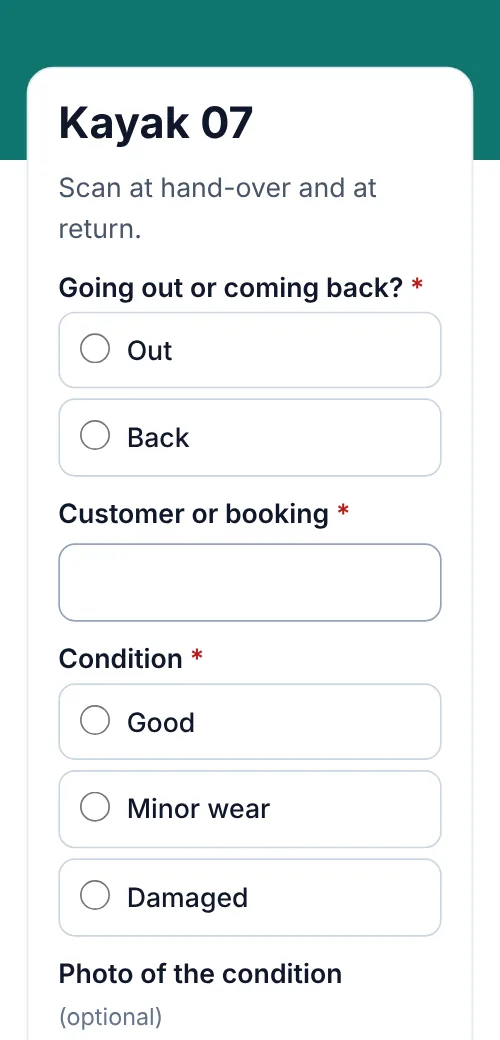
Out or back, customer name or booking number, condition, notes, and a photo question on Pro.
One code per item
Make a code for each item on the form’s QR codes tab, named like your stock: “Kayak 07”, “Camera kit B”.
Scan at hand-over
Choose “Out”, add the customer and a photo of the condition.
Scan at return
Choose “Back” and compare with the “Out” entry for the same item in Leads.
Uses
Who uses it
- Kayak, bike and SUP rentalsCondition photos at the dock.
- Camera and AV gearKits out and back, with serial numbers.
- Party and event rentalsTents, tables and bounce houses, before and after.
- Tool hirePower tools and equipment by the day.
- Offices and schoolsLaptops and kit lent to staff or students.
- Clubs and libraries of thingsShared gear lent to members.
Compared
What this does, and what a booking system does
Use it alongside your bookings, or on its own if you rent walk-up.
| Compared | QR check-out log | Rental booking software |
|---|---|---|
| Records hand-over and return | Yes, with condition and photo (Pro) | Depends on the product |
| Takes bookings and payments | No | Yes |
| Shows availability | No | Yes |
| Setup | One form and a code per item | A full system to learn |
| Price | From $9 a month | A separate subscription |
Placement
Where each code goes
| Compared | What it opens | Print it at |
|---|---|---|
| On the item | The check-out form for that item | 1–1.5 in (2.5–4 cm) |
| On the case or bag | The same code, for kits | 1–1.5 in (2.5–4 cm) |
| At the counter | A printed sheet of every item’s code | Any size |
Plans
What it costs
Lite and Pro start with a 7-day free trial.
Free
- Not included: forms need a paid plan
Lite, $9 a month or $72 a year
- 3 forms and 500 entries a month
- Up to 25 codes, one per item
- Pro ($24 a month) adds 250 codes, 10,000 entries a month and photo answers
Good to know
Before you start
- No bookings or paymentsForms collect entries, not payments, and don’t show what’s available.
- Scanning shows the form, not the historyStaff compare “Out” and “Back” entries in Leads, not on the scan screen.
- Keep the codes for staffAnyone who scans can send the form, so put the code where staff scan it, or check entries you don’t expect.
- Photos are on ProFile uploads take PNG, JPG, WebP, GIF or PDF, up to 10 MB each.
FAQ
Questions people ask
Can’t find yours? A person answers every email within 2 working days.
Email usCan customers check items out themselves?
They can scan and send the form, but there’s no payment or availability check. Most shops have staff do the scan at the counter.
How do I see an item’s history?
Every entry records the code that was scanned, so filtering Leads by that code shows each time the item went out and came back.
How many items can I label?
One code per item. Lite includes 25 dynamic codes, Pro 250 and Agency 2,000.
Can I export the log?
Yes. Export all entries, one form or the ones you select as a CSV, with the code and one column per question.
Keep reading
Related
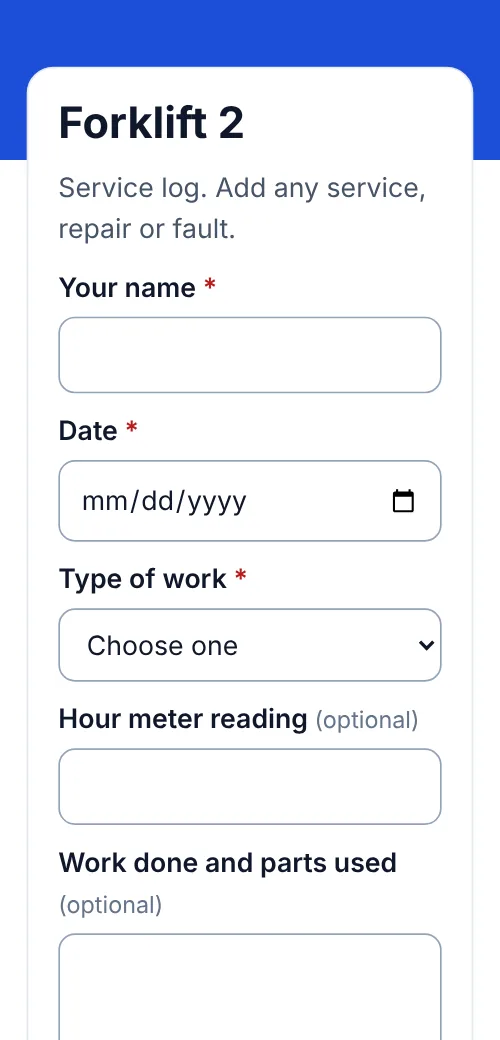 QR codes for equipment maintenance logsService and repair logs by scan, one code per machine, CSV export.
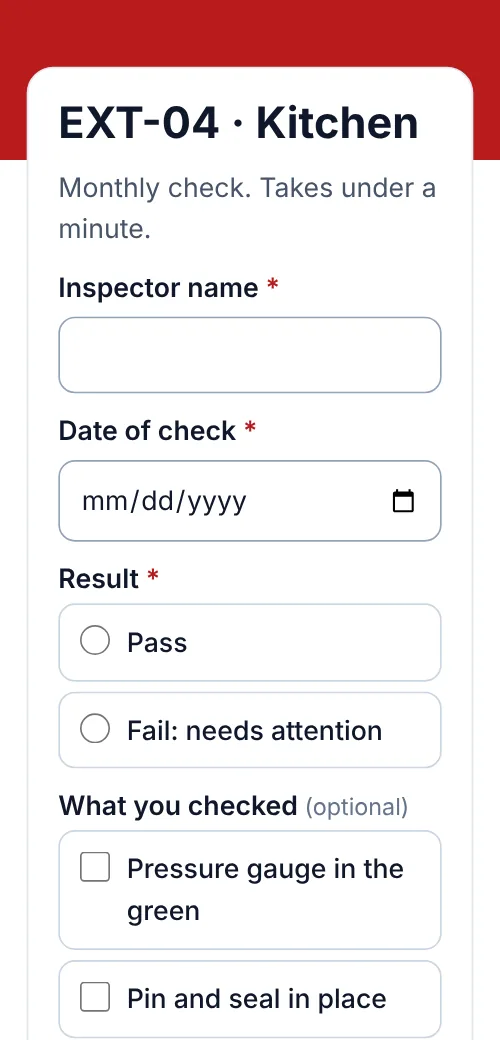 QR codes for fire extinguisher inspectionsMonthly extinguisher checks logged by scan, one list per building, CSV export.
 QR lead formsThe forms behind these codes.
- PricingFree, Lite, Pro and Agency, monthly or yearly.