- Home
- QR code types
- App QR code
App QR code generator
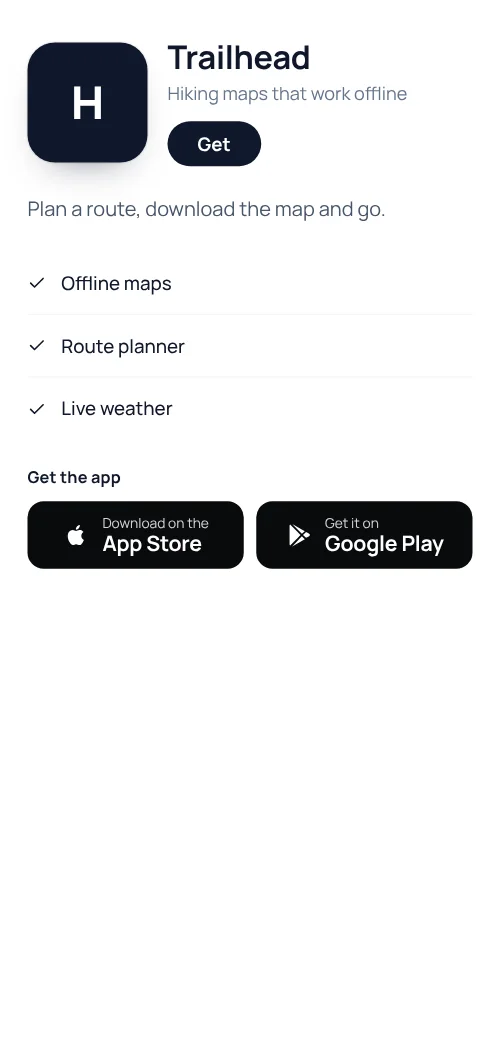
One QR code for your app on both stores. People scan, see what the app does and tap the App Store or Google Play button.
 Get the app
Definition
What is an app QR code?
In shortAn app QR code opens a page we host with your app’s name, a short description, its main features and buttons for the App Store and Google Play. One printed code works for iPhone and Android.
To send each phone straight to its own store with no page in between, use smart redirects on Pro or Agency, which pick the link by device.
At a glance
- Plan
- Any paid plan (hosted page)
- Shows
- App name, description, features and store buttons
- Edit after printing
- Yes, any time
- Code type
- Dynamic
- Scan analytics
- Included
How it works
Make one in four steps
Choose App
Open the generator and pick App, signed in on a paid plan.
Add your store links
The App Store link, the Google Play link, or both.
Add a description and features
A line or two on what the app does.
Download and print
PNG for screens; SVG, PDF or EPS for print. Add a frame so people know what the code does.
Where to use it
Where it helps
- Posters and advertsOne code for every phone.
- PackagingThe companion app for a product.
- In storeA loyalty or ordering app at the counter.
- Event standsInstall before people walk away.
Good to know
Things to know
- Store link changed? Edit the pageThe printed code stays the same.
- See which placements workScan counts by day, place and device.
- The code keeps workingIf a plan ends, the page stays up and the code keeps opening it. You can’t edit it until you subscribe again.
- Try it firstLite and Pro start with a 7-day free trial. Cancel before day 8 and nothing is charged.
FAQ
Questions people ask
Can’t find yours? A person answers every email within 2 working days.
Email usIs an app QR code free?
Hosted pages need a paid plan; Lite and Pro start with a 7-day free trial. Static types such as a link, Wi-Fi or a contact card are free.
Does it detect the phone automatically?
The page shows both store buttons. To send each phone straight to its store, use smart redirects on Pro or Agency.
Can I change the page after printing?
Yes. Edit it in your account and the printed code shows the new version on the next scan.
Keep reading